Generative UI: Designing Interfaces That Adapt to AI Intent
Explore the shift from static pages to dynamic, intent-driven interfaces in 2026. Learn how Generative UI is redefining the roles of designers and developers through personalization and accessibility.
Generative UI: Designing Interfaces That Adapt to AI Intent
In the history of digital design, we have always been limited by the "page." Whether it was a physical magazine or a responsive web layout, the core philosophy remained deterministic: if a user clicks A, they see B. We, as designers and engineers, spent decades obsessing over every pixel, every transition, and every break-point to ensure that the user experience was predictable and scalable. We built design systems, established grid theories, and debated the merits of burger menus versus tab bars—all in the service of creating a more perfect, more static container for information.
But as we cross into 2026, that era of static, deterministic design is coming to a close. We are entering the age of Generative UI.
Generative UI (GenUI) is a paradigm shift where the interface is no longer a fixed asset stored on a server. Instead, it is a dynamic, ephemeral construct generated in real-time by an AI agent to match the specific intent, context, and mental model of the user. It is the transition from Designing Pages to Designing Intents. In this new world, the UI isn't something that is "shipped"; it is something that "emerges."
The Death of the Deterministic Layout
For years, the "Standard UI" was a compromise. We designed for the "average user," which meant the interface was often too complex for beginners and too restrictive for power users. We added toggles, dashboards, and complex navigation menus to try and please everyone, resulting in the "UI Bloat" that has plagued modern SaaS. Designers spent months creating "Edge Case" layouts that might only be seen by 5% of the population, yet everyone had to download the weight of that CSS and JavaScript.
Generative UI solves this by moving from a deterministic model to a probabilistic one.
In a deterministic UI, the code says: show(DashboardComponent). It is a binary operation—on or off, visible or hidden. The user has to adapt their mental model to find the information they need within the boxes we've provided.
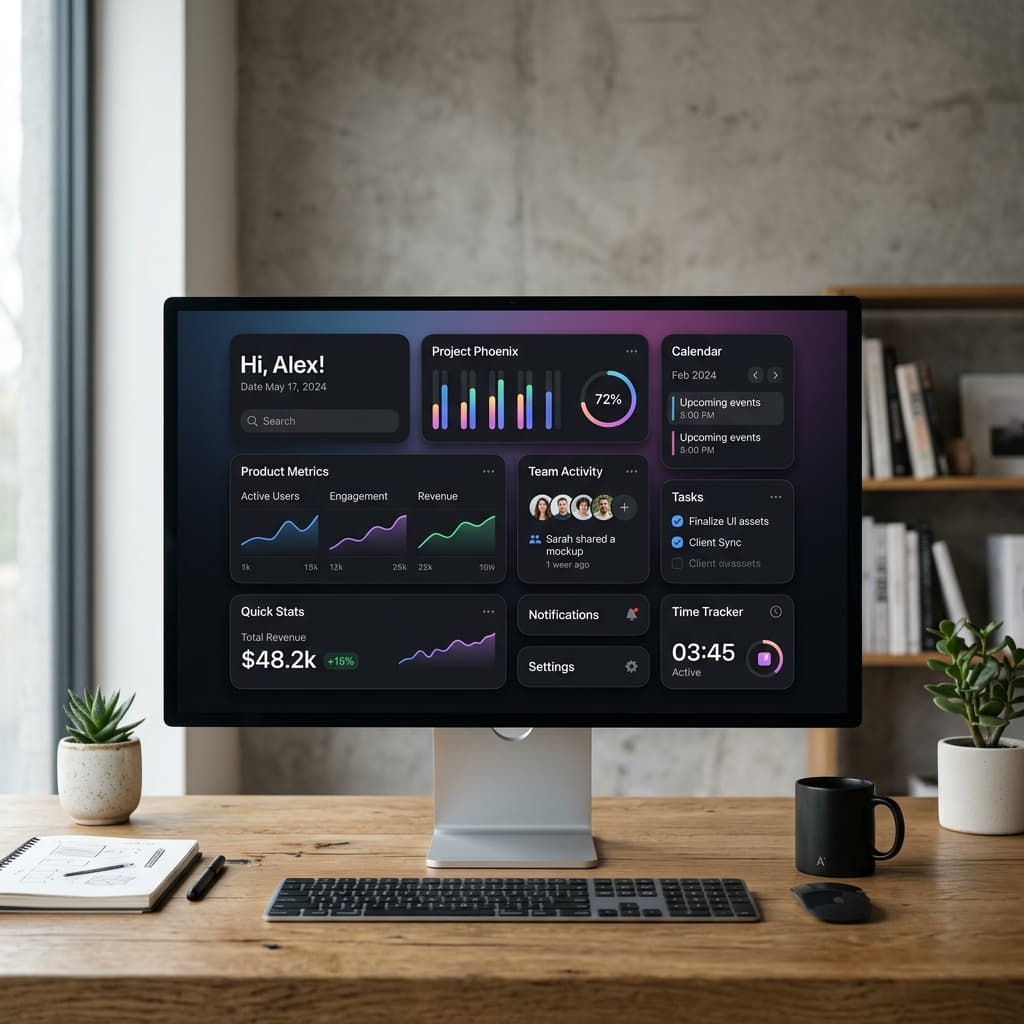
In a generative UI, the AI thinks: "The user is currently trying to reconcile their Q1 tax filings. They have a high volume of transactions from a specific vendor, and they seem frustrated by the search speed. Instead of showing the generic dashboard, I will synthesize a focused 'Reconciliation Workspace.' I will prioritize the vendor filters, inject a high-performance virtualized list, and generate a real-time summary widget that proactively flags discrepancies based on their previous fiscal patterns."
The UI is built on the fly. The buttons, the charts, and the forms only exist because they are needed right now. This isn't just "dynamic content"; it's "dynamic functionality."

Designing the DNA: Schema-Driven Development
If the AI is generating the UI, what is the role of the designer?
We are no longer pixel-pushers; we are System Architects. Our job is to create the "DNA" of the interface—a robust, semantic, and highly modular component library that the AI can use as its building blocks. But this goes deeper than just having a library in Figma. It requires a fundamental shift toward Schema-Driven Development.
To make Generative UI work, your design system must be:
- Semantically Rich: A button can't just be a
<button>. It needs to be aFinancialActionTriggerwith metadata that explains its "intent-alignment." It needs to "know" its own consequences—whether it deletes data, triggers a payment, or simply navigates. The AI needs to understand the gravity of the components it is assembling. - Highly Granular: Components must be small, composable units. In 2026, we don't think in "Pages" or even "Modules." We think in "Intent Fragments." These are the smallest possible units of UI that still carry meaning—a price-toggle, a confidence-score gauge, a contextual-help-bubble.
- Strictly Constraint-Based: We define the boundaries. We set the color palettes, the typography scales, and the spacing logic. The AI can decide what to show, but our system dictates how it looks. By baking these rules into the code (using tools like Style Tokens and Layout Constraints), we ensure that even a generated UI feels like it belongs to the brand.
In this model, the designer's primary output isn't a Figma file of a landing page; it's a UI Schema—a set of rules and components that describe the visual language of the brand and the functional possibilities of the platform.
The Engine: How It Works Under the Hood
The magic of Generative UI lies in the bridge between Large Language Models (LLMs) and modern frontend frameworks. It's not just a chat box; it's a State-to-UI Pipeline.
Typically, the flow looks like this:
- Intent Extraction: The user provides an input. In 2026, this is rarely just typing. It's a combination of eye-tracking, voice, and historical behavioral data. The AI agent extracts the core goal: "Analyze my marketing spend vs. conversion for the last 3 days."
- Plan Synthesis: An AI agent (like Antigravity) doesn't just guess the UI. It generates a "UI Manifest"—a structured JSON or XML object that describes the layout structure, the required data fetching hooks, and the event handlers.
- Real-Time Assembly: A specialized "GenUI Renderer" takes this manifest and matches it against your component library. If the manifest asks for a
ComparisonTable, the renderer pulls the authenticatedComparisonTablecomponent from your library, hydrates it with the real-time API data, and mounts it into the DOM. - Feedback Loop: As the user interacts with the generated UI, the agent observes. If the user ignores a specific widget, the agent learns that for this specific task, that widget was noise, and it refines the manifest in real-time.
This level of orchestration requires a high-performance, low-latency engine (like Gemini 3 Flash). The difference between a 200ms and a 2000ms UI generation is the difference between a tool that feels like a superpower and one that feels like a broken website.
The Accessibility Revolution
One of the most overlooked benefits of Generative UI is its potential to achieve Universal Accessibility.
Traditional accessibility is a reactive process—we build a site and then try to make it work for screen readers or low-vision users. In a Generative UI world, accessibility is proactive. The AI knows the user's accessibility profile. If a user is dyslexic, the agent can generate a UI that uses specific high-legibility fonts and increases line spacing. If a user has motor impairments, the agent can automatically enlarge hit areas for buttons and simplify navigation paths.
Generative UI allows us to move away from "Accessible-by-Design" to "Personalized-for-Ability." The interface adapts to the human, rather than forcing the human to adapt to the interface. This is perhaps the most humanistic aspect of the technology—the ability to provide a dignified, optimized experience for everyone, regardless of their physical or cognitive constraints.
The UX Challenges: Trust, Muscle Memory, and The "Hallucination" of UI
While the potential is staggering, Generative UI introduces significant UX risks that we are only beginning to understand in 2026.
The biggest challenge is Muscle Memory. Human beings thrive on predictability. If the "Home" button moves five pixels every time you log in, your brain has to work harder. This "Cognitive Load" can quickly lead to user fatigue. To counter this, we must implement Stable Anchors. These are the "fixed points" in the user journey—the navigation rails, the brand header, and the core action areas—that never move. The generative portions must exist within these stable containers. We must balance the novelty of generation with the comfort of familiarity.
Another hurdle is UI Hallucination. We've all seen AI hallucinate facts, but a hallucinated UI is arguably more dangerous. Imagine an AI generating a "Delete Account" button that, due to a logic error in the manifest, actually triggers a "Submit Payment" action. Or a UI that displays a "Success" state when the background process actually failed. This requires a Deterministic Guardrail Layer. Every generated UI component must be validated against a schema of "Allowed Actions" before it is ever rendered to the user. The AI can propose the layout, but the system's core logic must enforce the truth.
Finally, there is the Trust Gap. Users need to feel in control. If a UI changes too drastically without explanation, it feels "ghostly" and unsettling. We must design for Transparent Adaptation—using subtle micro-animations to show how one view transforms into another, and providing a "Why this view?" tooltip to explain the AI's reasoning. The user should always feel like they are the pilot, even if the AI is the navigator.
The Designer's New Role: From Pixel Pusher to System Orchestrator
The shift to Generative UI doesn't mean designers are obsolete; it means their skills must evolve.
In the past, a designer's value was in their ability to craft a perfect, static layout. Today, their value is in their ability to design the possibility space. They are designing the "Rules of Engagement" for the AI. This requires a deeper understanding of logic, data structures, and systemic thinking.
A 2026 designer needs to ask:
- "What are the core intents of my users?"
- "What components are necessary to satisfy those intents?"
- "What are the safety boundaries for how these components can be combined?"
- "How do we maintain brand voice and emotional resonance when the layout is unpredictable?"
We are moving from being "Artists of the Page" to "Architects of the Interaction." It is a move from the visual to the conceptual.
Conclusion: Toward a More Human Web
The ultimate goal of Generative UI is to make technology feel less like a tool we have to learn, and more like an extension of our own thoughts.
By removing the friction of navigating complex hierarchies and deciphering static layouts, we allow users to focus on what matters: their goals. Whether it's analyzing a complex dataset, writing a novel, or managing a team, the interface should get out of the way. It should be as fluid and natural as a conversation.
In 2026, the best interface is the one that barely exists until you need it. It is invisible, intelligent, and infinitely adaptable. As we move away from the static web, we aren't just changing how things look; we are changing how humans and machines collaborate. We are finally fulfilling the promise of personal computing: technology that actually understands the person using it.
The static web was about consumption. The generative web is about intention.
As designers and developers, our challenge is to embrace this uncertainty. We must let go of the need to control every pixel and instead focus on building systems that are smart enough to design themselves.
The era of the "Page" is over. The era of the "Intent" has begun.