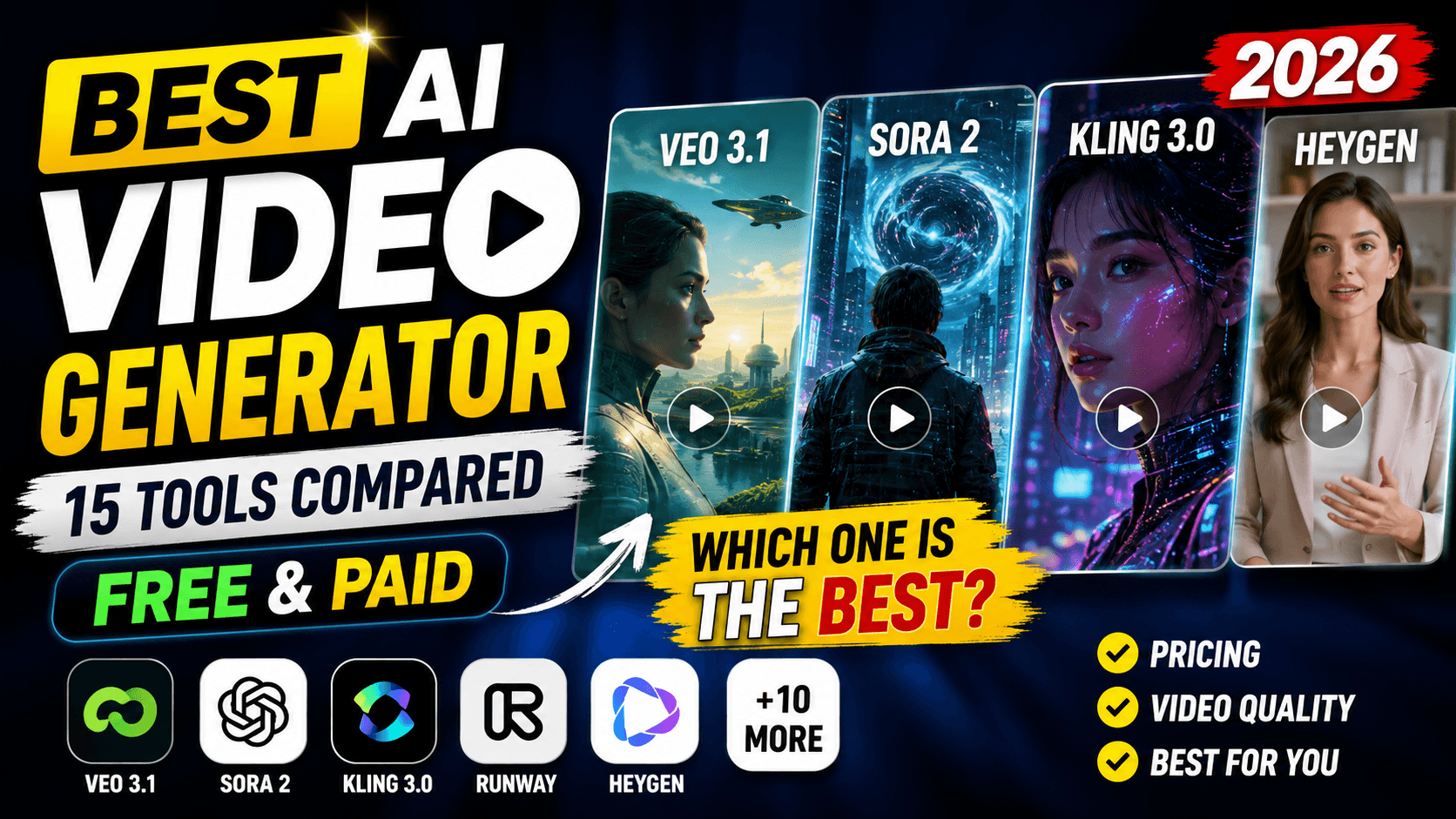
Best AI Video Generator in 2026: 15 Tools Compared (Free & Paid)
15 AI video generators tested and ranked for 2026 — Veo 3.1, Sora 2, Kling 3.0, Runway, HeyGen & more. Compare pricing, quality, and the best pick for your use case.
Best AI Video Generator in 2026: 15 Tools Compared (Free & Paid)
Quick Answer
Google Veo 3.1 is the best all-around AI video generator in 2026 for most people, thanks to strong prompt adherence, native synchronized audio, and easy access through the Gemini and Flow apps. Kling 3.0 is the best value for cinematic quality per dollar, Runway Gen-4.5 is the best for professional camera control and editing, and HeyGen or Synthesia are the best choice if you need talking-head avatar videos instead of cinematic clips. One important update: OpenAI's Sora has now been fully retired — the consumer app shut down in April 2026, and the API itself went offline for good on September 24, 2026 — so if Sora was anywhere in your workflow, it no longer works in any form, and Veo or Runway are the tools to move to. The right pick otherwise depends on your budget and whether you need realism, speed, or editing control.
What "Best" Actually Means for AI Video Generators
Not every AI video generator is solving the same problem, so "best" depends on what you're making:
- Cinematic / model-based tools (Veo, Sora, Kling, Seedance, Runway) generate footage from text or image prompts — ideal for ads, short films, and social content.
- Avatar / UGC-style tools (HeyGen, Synthesia) turn a script into a talking presenter video — ideal for training, explainers, and product marketing.
- Template-driven tools (InVideo) combine AI voiceover with stock or generated footage — ideal for fast, low-effort social posts.
Across all three categories, the criteria that matter most are: realism and physics (do hands, faces, and motion look natural), prompt adherence (does it follow your instructions closely), native audio (synced dialogue, sound effects, or music), clip length and resolution, and price per second or per clip, since costs vary dramatically between tools.
Quick Comparison Table
| Tool | Best For | Standout Feature | Starting Price |
|---|---|---|---|
| Google Veo 3.1 | Overall realism + audio | Best prompt adherence, native audio | ~$0.15/sec (fast); bundled in Google AI plans |
| OpenAI Sora 2 | Narrative, cinematic mood | Strong physics simulation | Discontinued — API shut down Sept 24, 2026 |
| Kling 3.0 | Best value / character consistency | Multi-shot subject consistency | ~$6.99/mo (Standard) |
| Runway Gen-4.5 | Camera control & editing | Access to Veo, Kling, Seedance in one app | ~$12–15/mo (Standard) |
| Luma Ray3 | Cleanest, most elegant visuals | Simple, polished UI | Free tier + paid plans |
| PixVerse V6 | Multi-shot social content | Native audio, repeatable testing | Free tier + paid plans |
| Pika | Beginners, fun effects, free commercial use | Playful, low learning curve | Free tier + paid plans |
| Seedance 2.0/2.5 | Most cinematic output, fastest generation | Multi-shot scenes, native lip-sync | Access varies by region |
| Wan 2.7 | Budget / open-weight | Auto-generates ambient sound | ~$0.05/sec |
| Hailuo (MiniMax) | Budget motion quality | Low cost per generation | Free tier + paid plans |
| Synthesia | Corporate training videos | Realistic AI presenters, 140+ languages | Subscription-based |
| HeyGen | Marketing & UGC avatar videos | Deep avatar customization | Subscription-based |
| InVideo | Fast social videos, beginners | AI voiceover + stock footage | Free tier + paid plans |
| Grok Imagine | Creative, expressive visuals | Imaginative, less literal outputs | Bundled with X Premium |
| Gemini Omni | Automated filmmaking | Multi-shot generation from one prompt | Bundled in Gemini plans |
The 15 Best AI Video Generators, Reviewed
1. Google Veo 3.1 (via Flow / Gemini)
Veo 3.1 is the safest first choice if you only want to try one tool — and with Sora now fully discontinued, it's the default recommendation across virtually every independent comparison published since late September 2026. It sticks closely to text prompts and image references, generates synchronized dialogue and sound effects natively, and supports an "ingredients-to-video" mode that lets you ground a scene in multiple reference images at once.
Pros: Excellent prompt adherence, strong realism, native audio, works well with Nano Banana Pro images as a starting frame. Cons: The Standard-quality tier is priced higher per second than budget competitors; clip length is shorter than some rivals.
2. OpenAI Sora 2 — now discontinued
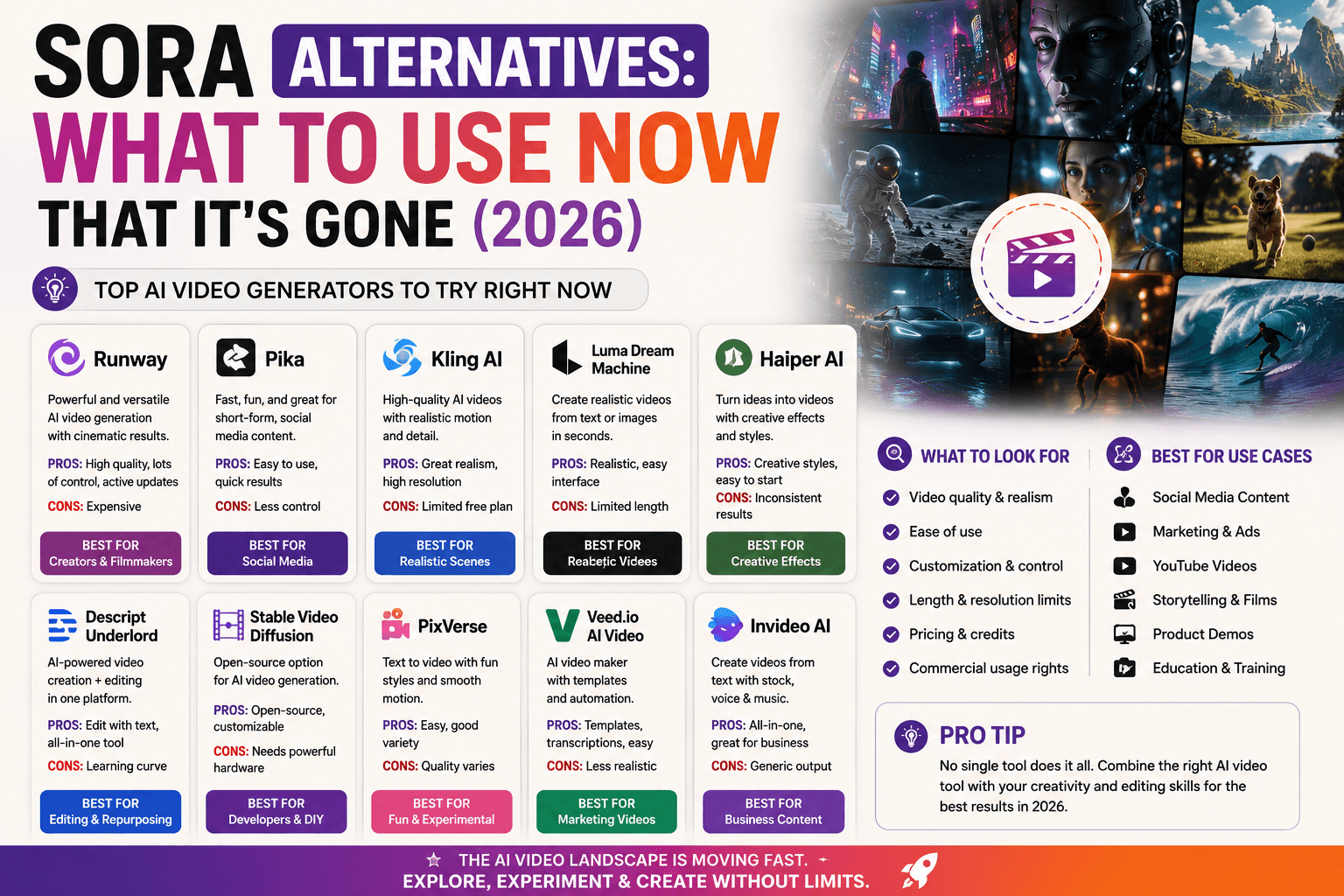
Sora 2 was known for realistic physics and cinematic mood, but it's no longer available in any form. OpenAI shut down the consumer Sora web and app on April 26, 2026, and the API followed on September 24, 2026, as confirmed in OpenAI's own discontinuation notice. Anyone who created content in Sora should have already exported it from the sunset export tool; OpenAI has said it will permanently delete associated data once any final export window closes. If any part of your workflow still depended on Sora, it has already stopped working — Google Veo 3.1 and Runway (which bundles Veo and Kling alongside its own engine) are the two tools most consistently cited as direct replacements.
Pros: Was strong on physics accuracy and cinematic visual style while it lasted. Cons: Fully discontinued as of September 24, 2026 — no longer usable through the app, ChatGPT, or the API, and not a tool to plan around at all going forward.
3. Kling 3.0
Built by Kuaishou, Kling 3.0 has become the go-to "best value" pick. It holds up well against pricier competitors on multi-shot character consistency, which matters most for content where the same subject needs to appear across several clips.
Pros: Roughly the cheapest premium-tier model per second, strong subject consistency, production-ready quality. Cons: Slightly behind Runway and Veo on the most complex, detail-heavy scenes.
4. Runway Gen-4.5
Runway has repositioned itself as a multi-model hub rather than just its own engine — paid plans bundle access to Gen-4.5, Veo 3.1, and Kling 3.0 Pro from one dashboard, along with dedicated editing tools like Act-Two (performance capture) and Aleph (AI video editing).
Pros: Best-in-class camera control, one subscription unlocks several top models, strong for teams with a motion-design workflow. Cons: Credits burn quickly — 625 monthly credits on the Standard plan cover only around 25 seconds of Gen-4.5 output; the free tier is closer to a demo than a usable plan.
5. Luma Ray3
Luma consistently gets praised for having the most polished, beginner-friendly interface of any cinematic-grade tool, without sacrificing much visual quality.
Pros: Clean UX, elegant default outputs, gentle learning curve. Cons: Fewer advanced controls than Runway or Kling for power users.
6. PixVerse V6
PixVerse is built for creators who need multi-shot generation and native audio without a steep learning curve, making it a strong fit for short-form social content.
Pros: Native audio, multi-shot sequencing, generous free-tier testing. Cons: Not as strong on hyper-realistic marketing footage as Veo.
7. Pika
Pika leans into playful, effect-driven generation rather than photorealism, which makes it popular for casual and entertainment-style clips. It's also worth a specific mention on licensing: Pika's free tier is one of the only ones in this category that explicitly permits commercial use, where most competitors restrict free-tier output to personal or testing purposes — a genuine differentiator if you need commercially-usable clips without paying anything.
Pros: Fun built-in effects, approachable for total beginners, free-tier commercial use rights. Cons: Less suited to professional or brand-safe marketing content; free tier capped at lower resolution.
8. Seedance 2.0 / 2.5 (ByteDance)
Seedance is frequently rated the most cinematic model on the market, with multi-shot scene generation and native lip-syncing. It's also notably fast — independent testing has clocked it generating a 10-second clip in roughly 30 seconds, meaningfully quicker than most competitors' 60–120 second generation times for comparable output — though full access outside of partner platforms can be inconsistent depending on region.
Pros: Extremely strong physics and weight to movement, native lip-sync and audio, fastest generation speed in this list. Cons: Harder to access directly; sometimes shows over-polished, slightly artificial background detail.
9. Wan 2.7 (Alibaba)
Wan is one of the more budget-friendly options and stands out for automatically generating ambient background sound even when you didn't ask for it in the prompt.
Pros: Very low cost per second, atmospheric lighting and cinematic camera movement, open-weight flexibility for developers. Cons: Physics can occasionally break down in complex motion scenes.
10. Hailuo (MiniMax)
Hailuo is a reliable budget pick when you need decent motion quality without paying premium-tier prices.
Pros: Low cost, solid general-purpose quality. Cons: Falls behind the top tier on fine detail and complex prompts.
11. Synthesia
Synthesia isn't a cinematic generator — it's the standard for AI-presenter videos used in corporate training, onboarding, and explainer content, with support for 140+ languages and realistic AI avatars.
Pros: Professional, polished presenter videos; strong for L&D and internal comms. Cons: Not built for cinematic B-roll, action scenes, or artistic content.
12. HeyGen
HeyGen focuses on avatar and UGC-style marketing videos, with deeper avatar customization than most competitors — useful for product ads that need a consistent "creator" face.
Pros: Strong avatar infrastructure, purpose-built for marketing use cases. Cons: Same limitation as Synthesia — not for cinematic scene generation.
13. InVideo
InVideo blends AI voiceover, generated footage, and stock clips into a finished, edited video in about a minute from a single text prompt, making it the fastest option for beginners who don't want to learn a prompt-engineering workflow.
Pros: Extremely fast turnaround, professional-looking stock footage blending, good free tier. Cons: Less creative control over exact visuals compared to prompt-based generators.
14. Grok Imagine
Grok Imagine, bundled with X Premium, leans into imaginative, emotionally driven visuals rather than strict photorealism.
Pros: Distinctive creative style, bundled access for X Premium subscribers. Cons: Less predictable for literal, brief-accurate marketing footage.
15. Gemini Omni
Gemini Omni is built around automatic multi-shot filmmaking — describe a scene once, and it plans and generates a sequence of shots rather than a single clip.
Pros: Genuinely useful for storyboarding an entire short scene in one step. Cons: Newer tool, so third-party reviews and long-term reliability data are still limited.
Free vs. Paid: What Actually Changes
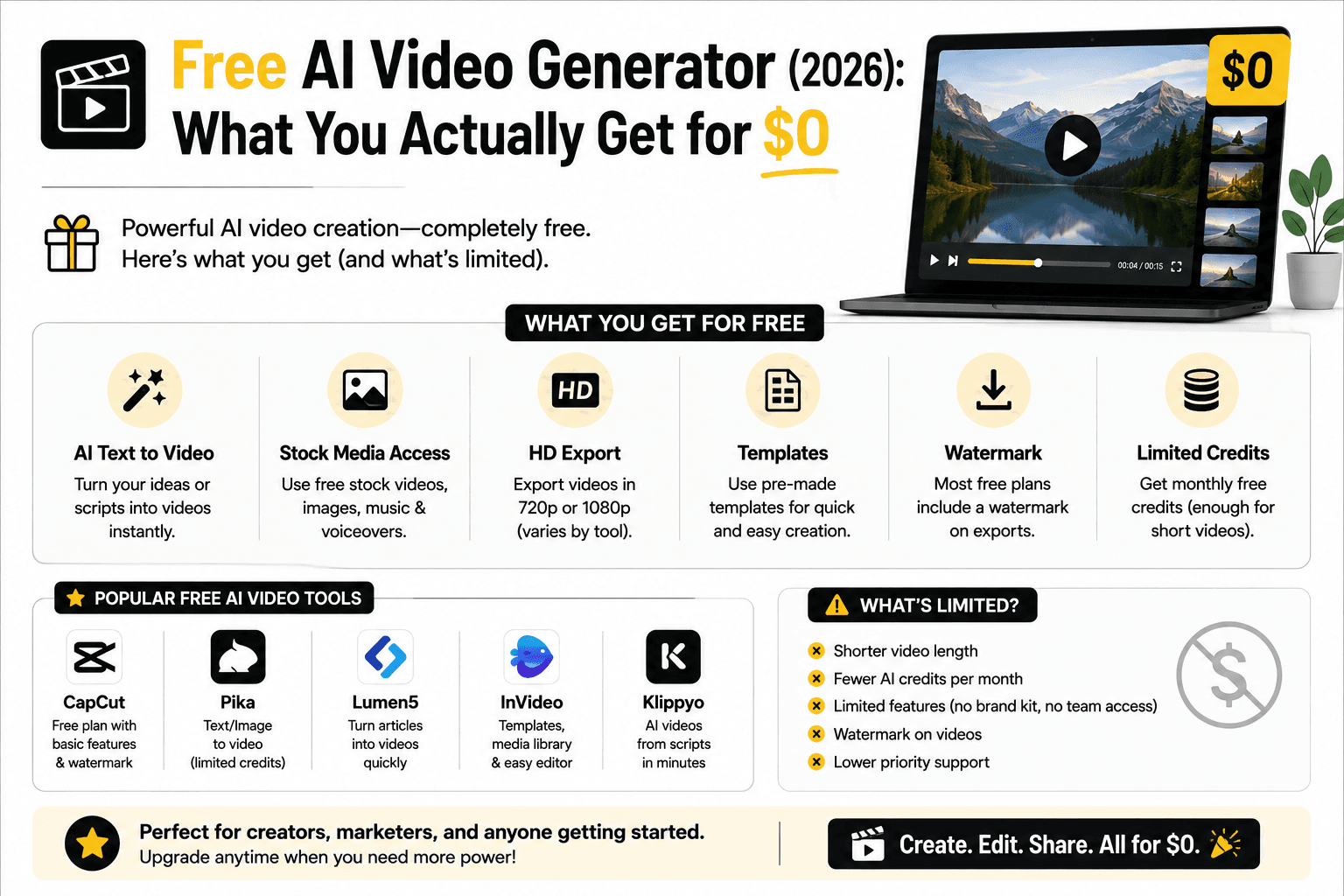
Free tiers across these tools vary far more than pricing pages suggest. Some, like PixVerse and InVideo, give a genuinely usable free tier for short social clips. Pika stands out specifically for permitting commercial use on its free tier, a rights structure most competitors reserve for paid plans. Others, like Runway, hand out a one-time credit bank (125 credits, roughly 2–3 short test clips) that never refreshes — useful for judging output quality, but not a workflow you can build on. As a rule of thumb:
- One-time credit banks (Runway's free tier) are meant for evaluation only.
- Recurring free credits (Kling, PixVerse, Luma) can sustain light, occasional use indefinitely.
- Subscription-only tools (Synthesia, HeyGen) rarely offer a meaningful free tier since each video ties up avatar licensing and voice generation costs.
- Per-second API pricing (Veo 3.1, Wan 2.7) is the most transparent way to estimate real cost: multiply your average clip length by the per-second rate before committing to a subscription.
Upgrading from free to paid on most platforms unlocks three things at once: higher-quality models (e.g., Gen-4.5 instead of Gen-4 Turbo on Runway), watermark removal, and access to third-party models bundled into the same subscription.
Common Mistakes When Choosing or Using an AI Video Generator
- Comparing a model to a platform. Veo, Sora, and Kling are underlying models; Runway and PixVerse are platforms that often give you access to several models at once. Comparing "Runway vs. Kling" isn't quite apples-to-apples, since Runway's paid plans include Kling as one of several available engines.
- Still depending on Sora. Its API shut down for good on September 24, 2026 — any project still referencing it needs to migrate immediately, not "eventually."
- Optimizing only for "unlimited" claims. Free or unlimited offers usually hide restrictive credit fine print — read the actual per-model cost before assuming a plan covers your volume.
- Ignoring resolution needs upfront. If you need 4K output for a client deliverable, check this before subscribing; several budget-tier models cap out well below 4K.
- Skipping the free trial test. Because visual style, motion handling, and audio quality differ so much between tools, testing the same prompt across two or three free tiers before paying is the fastest way to find the right fit for your specific content style.
- Forgetting commercial-use terms. Some platforms restrict commercial use, require attribution, or apply different licensing to outputs generated on free vs. paid plans — always confirm before publishing branded or monetized content. Pika is a notable exception with commercial rights included free.
How to Choose the Right AI Video Generator for You
- You're a social media creator: Start with PixVerse, Kling 3.0, or Pika — fast, affordable, and built for short-form output.
- You're a marketer or small business: Runway Gen-4.5 or Google Veo 3.1 for product/ad footage, or HeyGen for talking-head UGC-style ads.
- You need corporate or training videos: Synthesia is purpose-built for this; cinematic tools are the wrong fit here.
- You want the most realistic, all-purpose option: Google Veo 3.1 is the safest single recommendation if you only want to learn one tool.
- You're on a tight budget: Wan 2.7 and Kling 3.0 offer the strongest quality-per-dollar in 2026.
- You were using Sora: Move to Google Veo 3.1 or Runway now — Sora's API access ended completely on September 24, 2026, and nothing built on it will work anymore.
Tips for Better AI Video Generation Results
- Describe camera movement explicitly — "slow tracking shot," "static wide shot," "handheld close-up" — rather than leaving framing to chance.
- Specify audio needs. Tools like Veo 3.1, Wan 2.7, and Seedance can generate synced audio, but only if your prompt hints at what sound should exist in the scene.
- Start with fast/draft modes. Cheaper tiers (like Veo 3.1 Fast or Wan 2.6) are ideal for testing a concept before spending credits on a full-quality render.
- Use image references when available. Grounding a generation in a reference photo (a product shot, a character portrait) produces far more consistent results than text alone.
- Keep clips short and iterate. Most models still perform best under 8–10 seconds per clip; stitch several short, well-directed clips together rather than requesting one long, complex shot.
Conclusion
There isn't a single "best" AI video generator for everyone — there's a best tool for your specific job. For most people experimenting with AI video for the first time, Google Veo 3.1 offers the most reliable mix of realism, audio, and prompt accuracy. Creators optimizing for cost should look at Kling 3.0 or Wan 2.7, teams that need editing control should go with Runway, and anyone making training or UGC-style marketing videos should skip cinematic tools entirely in favor of Synthesia or HeyGen. One thing that's no longer a "heads up" but a done deal: Sora's API shut down completely on September 24, 2026, so anyone still referencing it in a workflow needs to migrate immediately. Test the free tiers of two or three options on the same prompt before committing to a paid plan — output quality varies more than most marketing pages let on.
FAQ
What is the best free AI video generator? PixVerse, Luma Ray3, Pika, and InVideo all offer usable free tiers for testing short clips, though free credits are typically limited and don't refresh monthly on some platforms like Runway. Pika is also notable for permitting commercial use on its free tier.
Which AI video generator has the most realistic output? Google Veo 3.1 is generally rated highest for realism among currently available tools, with native synchronized audio built in. Sora 2 was previously competitive on this front, but it's no longer an option now that its API has been fully discontinued.
Is Sora 2 still available in 2026? No, not anymore. OpenAI shut down the standalone Sora consumer web and app on April 26, 2026, and the API — the only remaining access point — was fully discontinued on September 24, 2026, per OpenAI's own confirmation. Data associated with Sora use is being permanently deleted once any final export window closes, and no Sora access point remains available in any form.
What's the cheapest AI video generator that's still good quality? Kling 3.0 and Wan 2.7 offer the strongest quality-per-dollar in 2026, with Kling's Standard plan starting around $6.99/month and Wan pricing near $0.05 per second via API.
Which free AI video generator allows commercial use? Pika is the standout here — its free tier explicitly permits commercial use, where most competitors reserve that right for paid plans only.
What's the difference between an AI video generator and an AI avatar tool? Generators like Veo, Kling, and Runway create entirely new scenes and footage from a prompt. Avatar tools like Synthesia and HeyGen instead animate a consistent AI presenter reading a script — better suited to training and marketing videos than cinematic content.
Can I use AI-generated videos commercially? Most platforms allow commercial use on paid plans, but rules vary by tool regarding watermarks, likeness rights, and content restrictions — always check the specific platform's commercial-use terms before publishing.
Related
Resources
Claude Pro vs Max: Which Plan Actually Pays for Itself in 2026?
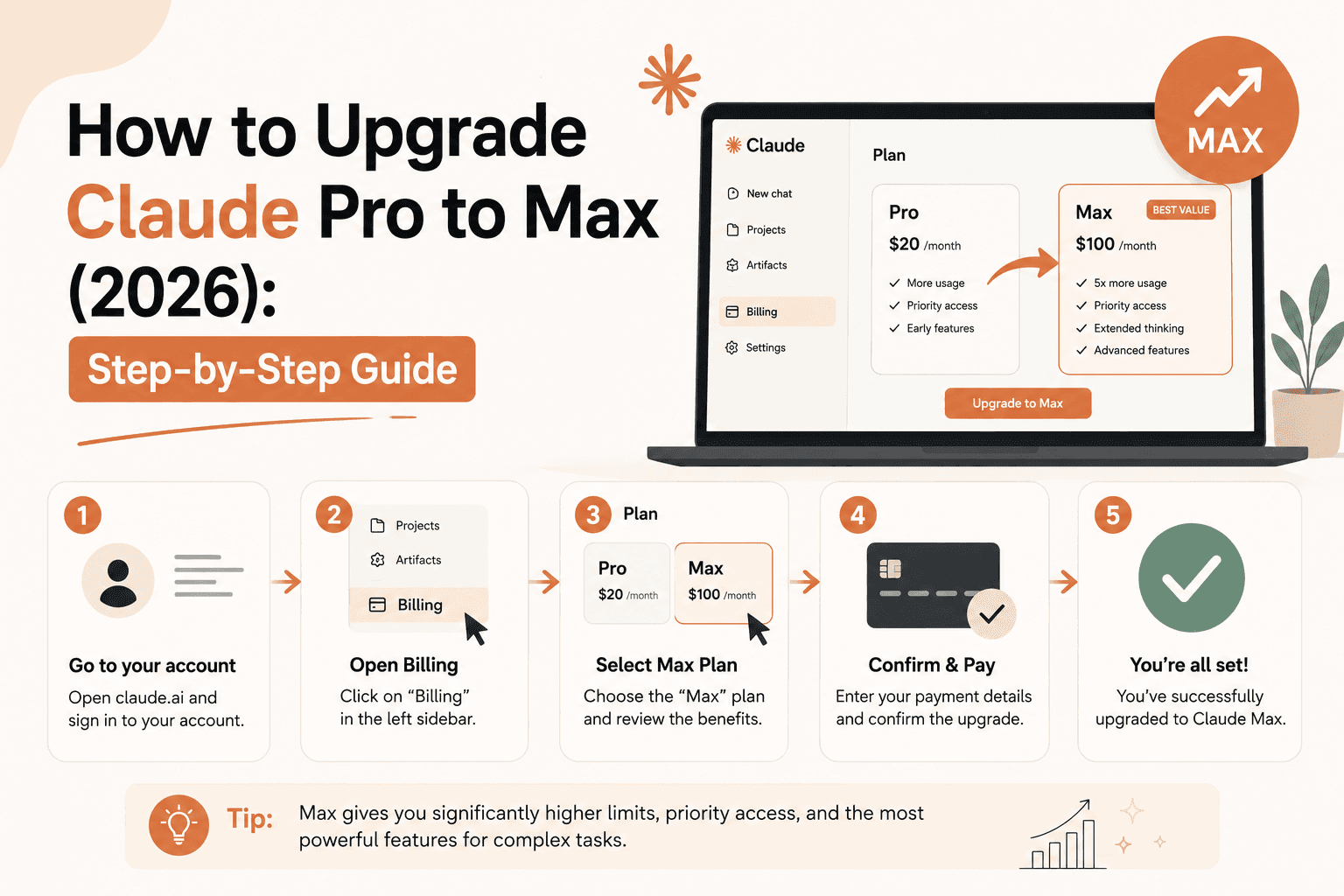
How to Upgrade Claude Pro to Max (2026): Step-by-Step Guide
Sora Alternatives: What to Use Now That It's Gone (2026)
Free AI Video Generator (2026): What You Actually Get for $0