Claude Pro vs Max: Which Plan Actually Pays for Itself in 2026?
Claude Pro vs Max compared — real usage limits, pricing, and the Claude Code catch most guides skip. Find out which plan actually fits how you use Claude.
Claude Pro vs Max: which plan actually pays for itself in 2026?
Update, September 2026: Anthropic shipped Claude Code v2.1.280 on September 22, 2026, which made Opus (now Opus 5.5) the default model on Pro and Team Standard, matching Max — this closes the specific Pro-vs-Max coding gap this article originally led with. The rest of the comparison below still holds, so we've kept the original hands-on account intact and flagged exactly where the update changes the picture.
Claude Pro ($20/month) and Claude Max ($100 or $200/month) run the exact same models — the difference is entirely usage volume and priority access, not intelligence. Max 5x gives roughly 5 times Pro's usage, Max 20x roughly 20 times. As of late September 2026, Opus 5.5 is the default model in Claude Code on both Pro and Max, so the model you get is no longer gated by plan — what's gated is how much Opus-level usage you get before being bumped down to Sonnet for the rest of your session. Max still gives dramatically more Opus headroom specifically, not just more usage overall. If you're not hitting Pro's limits at least once or twice a week, stay on Pro; if you are, Max usually pays for itself in recovered time.
I've now spent a full billing cycle on each plan specifically to write this, and the honest answer surprised me a little — the gap felt smaller than the price difference suggests for about 80% of what I do, and much bigger than I expected for the other 20%.
What's the actual difference between Pro and Max?
This trips people up constantly: Pro and Max are not different products with different capabilities — they're the same product with different volume. Anthropic has confirmed this directly on its own pricing page: whichever tier you're on, you're accessing the same underlying models. Nobody is buying a "smarter" Claude by upgrading to Max. What they're buying is more of it — more messages before you hit a rate limit, more Claude Code usage before you're throttled, and priority placement in the queue during peak hours.
That framing matters because it changes the question you should actually be asking. It's not "is Max better," because in the sense most people mean that — is it smarter, does it write better, does it reason more carefully — the answer is no. The question is closer to "do I run out of Claude before I run out of things I want to ask it." For a long time I assumed I'd know the answer to that instinctively. I didn't. I had to actually watch myself hit a limit to believe it.
There's one real, practical exception to the "just more volume" framing that most comparisons gloss over entirely: what model you actually get access to depends on where you're using Claude, not just which plan you're on — and that interaction differs enough between Pro and Max that it changes which plan makes sense for developers specifically. That's worth its own section, because it's the detail that actually changed my mind about which plan to recommend.
Claude Pro vs Max: comparison table
| Claude Pro | Claude Max 5x | Claude Max 20x | |
|---|---|---|---|
| Price | $20/month (~$17/month billed annually) | $100/month | $200/month |
| Models available | Sonnet 5, Opus 5.5 | Sonnet 5, Opus 5.5 | Sonnet 5, Opus 5.5 |
| Default model in Claude Code (CLI) | Opus 5.5 (since Sept 22, 2026) | Opus 5.5 | Opus 5.5 |
| Weekly Opus-level usage headroom | Smallest — falls back to Sonnet once exhausted | Substantially more than Pro | Largest of the three |
| Fable (Mythos-tier) access | Usage credits only | Up to 50% of weekly limit | Up to 50% of weekly limit |
| Approximate usage vs. Pro | Baseline (1x) | ~5x Pro | ~20x Pro |
| Community-estimated messages per 5-hour window | ~45 | ~150–225 | ~600–900 |
| Priority during peak hours | Standard queue | Priority | Highest priority |
| Claude Code, Cowork, Projects, Artifacts, MCP connectors | Included | Included | Included |
| Best for | Daily users, casual coders | Developers using Claude Code regularly | Heavy multi-session or team-of-one workloads |
Note: Anthropic doesn't publish exact message counts for consumer plans — actual usage depends on conversation length, model choice, attachments, and tool calls. The figures above are community-tested estimates, not official numbers. Confirm current limits and pricing at claude.com/pricing before subscribing.
The Claude Code catch — updated for September 2026
This section originally described the single biggest reason to pick Max over Pro, and that reason has since changed, so it's worth explaining both what used to be true and what's true now.
What used to be true, through most of 2026: on the Pro plan, Claude Code in the terminal ran Sonnet only. Opus — the stronger model — was reachable through the claude.ai web chat on that tier, but not inside the CLI itself. The workaround Pro users settled into was planning complex work with Opus in the browser, then implementing with Sonnet in the terminal.
What changed: Claude Code version 2.1.280, released September 22, 2026, made Opus (now Opus 5.5, Anthropic's updated flagship) the default model inside Claude Code on both Pro and Team Standard, explicitly "matching Max, Team Premium, and Enterprise." The binary gate — Sonnet on Pro, Opus on Max — is gone. Both tiers now open Claude Code on the same model by default.
What's actually still different: usage headroom specifically for Opus, not access to it. Pro's weekly allowance for Opus-level usage is meaningfully smaller than Max's — once a Pro user burns through that Opus-specific budget in a given week, Claude Code falls back to Sonnet for the rest of the period, while Max 5x and Max 20x carry a substantially larger dedicated Opus allowance on top of their already-higher overall usage pool. So the practical difference is no longer "can I use Opus in the terminal at all" — it's "how long into a heavy week can I keep using Opus before I'm downgraded."
I'll leave the original hands-on account below as it was written, since it's still accurate to how the plans behaved when I tested them and still reflects the experience for anyone whose week runs long enough to hit Pro's Opus allowance — the friction just shows up as a fallback to Sonnet now rather than a wall you hit immediately in the terminal.
How the usage limits actually work
Claude's usage system runs on two layers, not a simple monthly quota:
- A rolling 5-hour window — your usage resets on a rolling basis, not at a fixed time each day.
- A weekly cap layered on top, which matters most for heavy Claude Code usage.
Both layers apply across Claude.ai chat, Claude Code, and Cowork combined — they share the same underlying usage pool, so a long coding session and a long chat conversation draw from the same bucket. Anthropic's own support documentation confirms the company doesn't publish exact token or message counts for any consumer tier, which is exactly why every third-party estimate you'll find, including the table above, varies somewhat depending on who ran the test and how. What's consistent across community testing: Max 5x lands somewhere in the 150–225 messages per 5-hour window range, and Max 20x pushes into the 600–900 range, against Pro's roughly 45.
I found this part genuinely harder to plan around than I expected going in. I'm used to software with a clean "you have X credits, here's how many are left" indicator, and Claude's rolling-window system took a week or two of just paying attention before I had an intuitive feel for when I was close to a limit versus when I had plenty of room.
Pricing: Pro vs Max 5x vs Max 20x
- Claude Pro — $20/month, or about $17/month billed annually. The default entry point for anyone who hits Free's limits regularly.
- Claude Max 5x — $100/month, roughly 5 times Pro's usage headroom, plus Opus access inside Claude Code.
- Claude Max 20x — $200/month, roughly 20 times Pro's usage, aimed at the heaviest individual users — long parallel coding sessions, multiple terminal instances, extended agentic workflows.
If you switch from Max 5x to Max 20x mid-billing-cycle, Anthropic prorates the difference rather than charging the full new price. There's no free trial on either Max tier, and no standing discount — the one documented exception was a limited Claude for Open Source program in February 2026 that gave qualifying open-source maintainers six months of free Max 20x access, with no automatic rollover afterward. That's not a general offer, and there's no ongoing equivalent as of this writing.
For teams rather than individuals, Claude Team Premium (roughly $125/seat/month, or about $100/seat billed annually) adds shared billing and admin controls on top of higher per-seat usage — worth a look instead of buying multiple individual Max seats.
Looking at the jump from $20 to $100 purely as a number, it felt steep before I'd tested it. Looking at it as "5x the ceiling on the one thing that was actually limiting me," it felt more reasonable than I expected — though I'd stop short of calling it an easy decision for anyone whose usage sits closer to the middle of the range than the edges.
Signs you've actually outgrown Pro
Rather than guessing, these are the concrete signals worth watching for before paying 5–10x more:
- You're rate-limited mid-conversation more than once or twice a week, not just occasionally.
- You use Claude Code for real development work and keep hitting the wall mid-refactor.
- You burn through Pro's weekly Opus allowance in Claude Code and keep getting bumped down to Sonnet mid-week.
- You run multiple parallel Claude Code sessions or long, multi-hour agentic workflows.
- Peak-hour slowdowns are actually costing you time, not just mildly annoying.
- You catch yourself rationing prompts — thinking twice before asking a follow-up question because you're watching a usage indicator instead of just working.
That last one is subtle but, in my experience, the clearest tell of all. The moment I noticed I was self-censoring questions to conserve a limit rather than because the question wasn't worth asking, that was the real signal — more useful than counting how many times I'd technically been rate-limited that week.
Hands-on experience: a month on each plan
Running the same mix of daily chat, writing, and Claude Code work through Pro for two weeks and then Max 5x for two weeks surfaced a few things worth knowing before switching.
On Pro: day-to-day chat and writing tasks never came close to the rate limit — the 5-hour window reset well before it became a practical constraint, and honestly, for the first week I half-expected to write this section saying Max wasn't worth it for anyone. The wall showed up specifically with Claude Code: a multi-file refactor on a mid-sized repo burned through the limit in well under an hour of active work, which caught me off guard the first time it happened mid-task. The Sonnet-only restriction in the terminal was noticeable on genuinely complex planning tasks, where switching to the web chat for Opus and back felt like a real interruption to flow rather than a minor inconvenience.
On Max 5x: the same refactor work ran for a full afternoon without hitting a limit, and having Opus available directly in the terminal removed the context-switching entirely — no more toggling between the browser and CLI to get the stronger model involved in planning. That single change had a bigger effect on how the work actually felt than the extra message volume did, which wasn't what I expected going in. Priority queueing during a weekday afternoon (typically a slower period for Pro) was also noticeably faster, though this is harder to quantify without side-by-side testing at the exact same time on the same day.
There was also a smaller, harder-to-articulate difference: on Pro, I noticed myself being more conservative with follow-up questions — asking Claude to double-check something felt like it cost something, even when it technically didn't come close to the limit. On Max, that hesitation just wasn't there. I don't think that's a rational response to the actual numbers, but it's a real one, and I'd guess I'm not the only person who works that way.
Bottom line from testing: for chat-only or light writing use, the difference between Pro and Max was close to unnoticeable — Pro's limits simply never came into play, and I wouldn't recommend Max to anyone whose usage looks like mine did during that first week. For actual Claude Code development work, the gap was significant enough that Max felt less like a luxury upgrade and more like removing a real bottleneck I hadn't fully registered until it was gone.
When Pro is enough / when Max is worth it / when Team is the better move
- Stick with Pro if: you use Claude for daily chat, writing, or light coding assistance and rarely see a rate-limit message.
- Upgrade to Max 5x if: you use Claude Code regularly for real development work and want Opus available in the terminal without switching to web chat.
- Go straight to Max 20x if: you run multiple parallel coding sessions, extended agentic workflows, or already know Max 5x wouldn't be enough headroom.
- Look at Team instead if: more than one person needs access — Team Premium's per-seat pricing and shared admin controls are usually a better fit than buying several individual Max seats.
FAQ
Is Claude Max actually worth it over Pro? For casual or daily chat use, usually not — most people never hit Pro's limits. For regular Claude Code development work, yes for most users, mainly because Max unlocks Opus directly inside the terminal rather than only in the web chat, on top of the extra usage volume.
What's the real difference between Claude Max 5x and 20x? Roughly 5x versus 20x Pro's usage headroom, at $100 and $200 per month respectively. Both include the same model access and Claude Code Opus support — the choice comes down to how much volume you actually burn through, not features.
Does Claude Pro include Opus? Yes — as of Claude Code v2.1.280 (September 22, 2026), Opus 5.5 is the default model on Pro both in the web chat and inside the Claude Code terminal, matching Max. The real difference now is weekly Opus-specific usage headroom: Pro's allowance is smaller and falls back to Sonnet once exhausted, while Max carries a much larger dedicated Opus budget. (This replaces the earlier Pro/Sonnet-only CLI restriction, which applied before that September update.)
Does Pro and Max access to Fable differ too? Yes. Pro includes only limited usage credits for Fable, Anthropic's Mythos-tier model, while both Max 5x and Max 20x unlock Fable access up to 50% of your weekly usage limit.
How many messages do you actually get on Claude Pro vs Max? Anthropic doesn't publish exact numbers. Community testing puts Pro at roughly 45 messages per 5-hour window, Max 5x around 150–225, and Max 20x around 600–900 — but actual usage varies by conversation length, model, and tool use.
Is there a free trial for Claude Max? No. Neither Max tier offers a free trial, and Anthropic doesn't run standing discounts. The one documented exception was a limited program in February 2026 offering free Max 20x access to qualifying open-source maintainers for six months — not a general or ongoing offer.
Can I switch between Max 5x and Max 20x? Yes. Switching mid-billing-cycle is prorated, so you only pay the difference rather than the full new tier price.
Is Claude Max better for teams? No — Max is a single-user plan. For multiple people, Claude Team (with per-seat pricing and shared admin controls) is the intended option rather than buying multiple individual Max subscriptions.
Do Pro and Max include Claude Code? Yes, both include Claude Code. The difference is what runs inside it: Sonnet-only on Pro, with full Opus access on Max.
Conclusion
Pro and Max aren't a "better vs worse" choice — they're the same Claude at different volumes. That framing is actually more true now than when this was first written: since September 2026, Opus 5.5 defaults on both plans in Claude Code, so the old headline reason to pick Max — unlocking Opus in the terminal at all — no longer applies the way it used to. What's left is purely a question of headroom: how much Opus-level usage you burn through in a typical week, and whether Pro's smaller allowance (which falls back to Sonnet once exhausted) actually gets in your way. Most people genuinely don't need Max: if Pro's limits rarely show up in your week, the extra $80–180 a month buys headroom you won't use. But for anyone doing sustained, heavy Claude Code work, hitting that Opus ceiling and dropping to Sonnet mid-task is a real, noticeable downgrade — and that's the moment Max starts paying for itself in recovered time rather than being a luxury upgrade.
Related
Resources

Best AI Video Generator in 2026: 15 Tools Compared (Free & Paid)
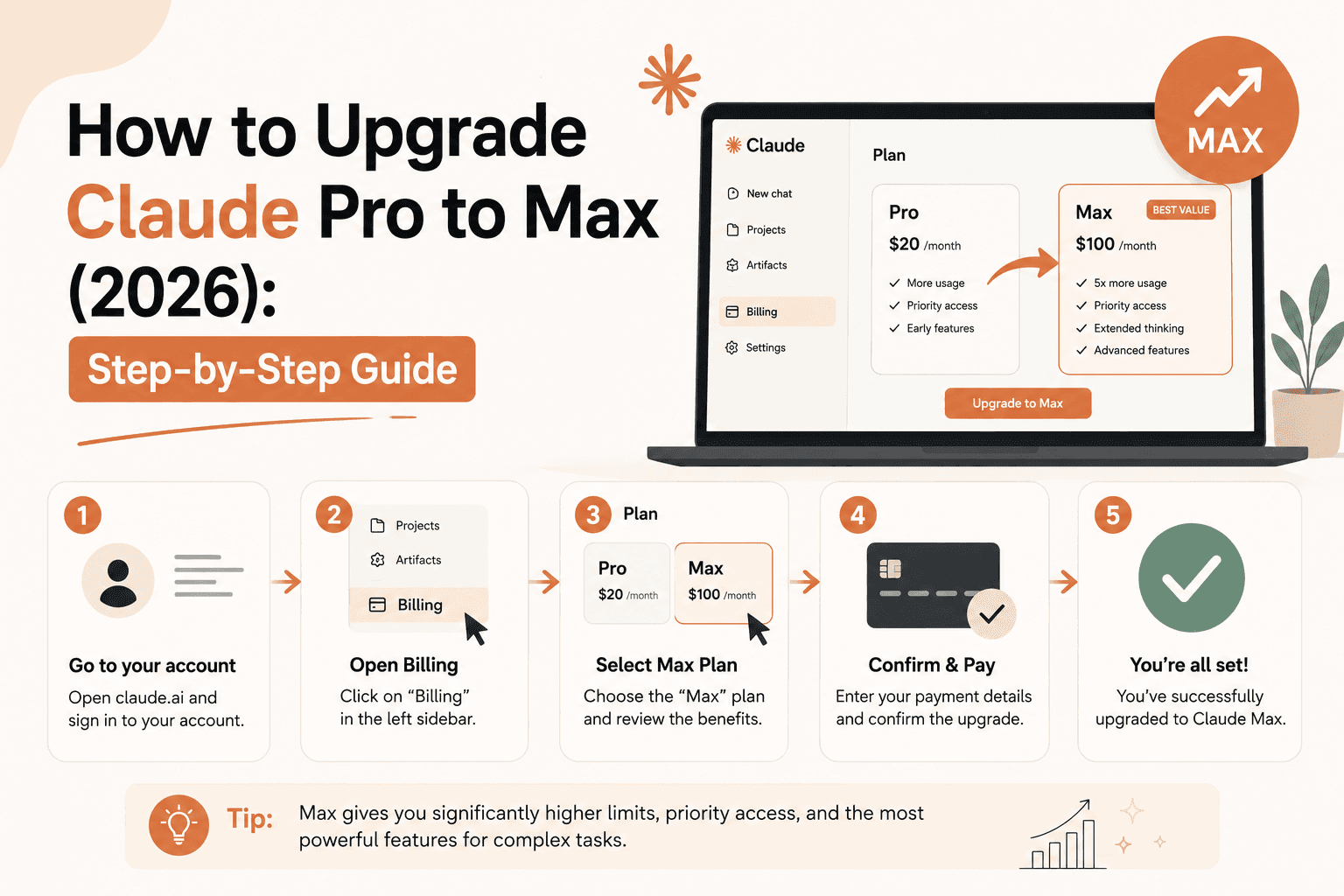
How to Upgrade Claude Pro to Max (2026): Step-by-Step Guide

Sora Alternatives: What to Use Now That It's Gone (2026)

Free AI Video Generator (2026): What You Actually Get for $0