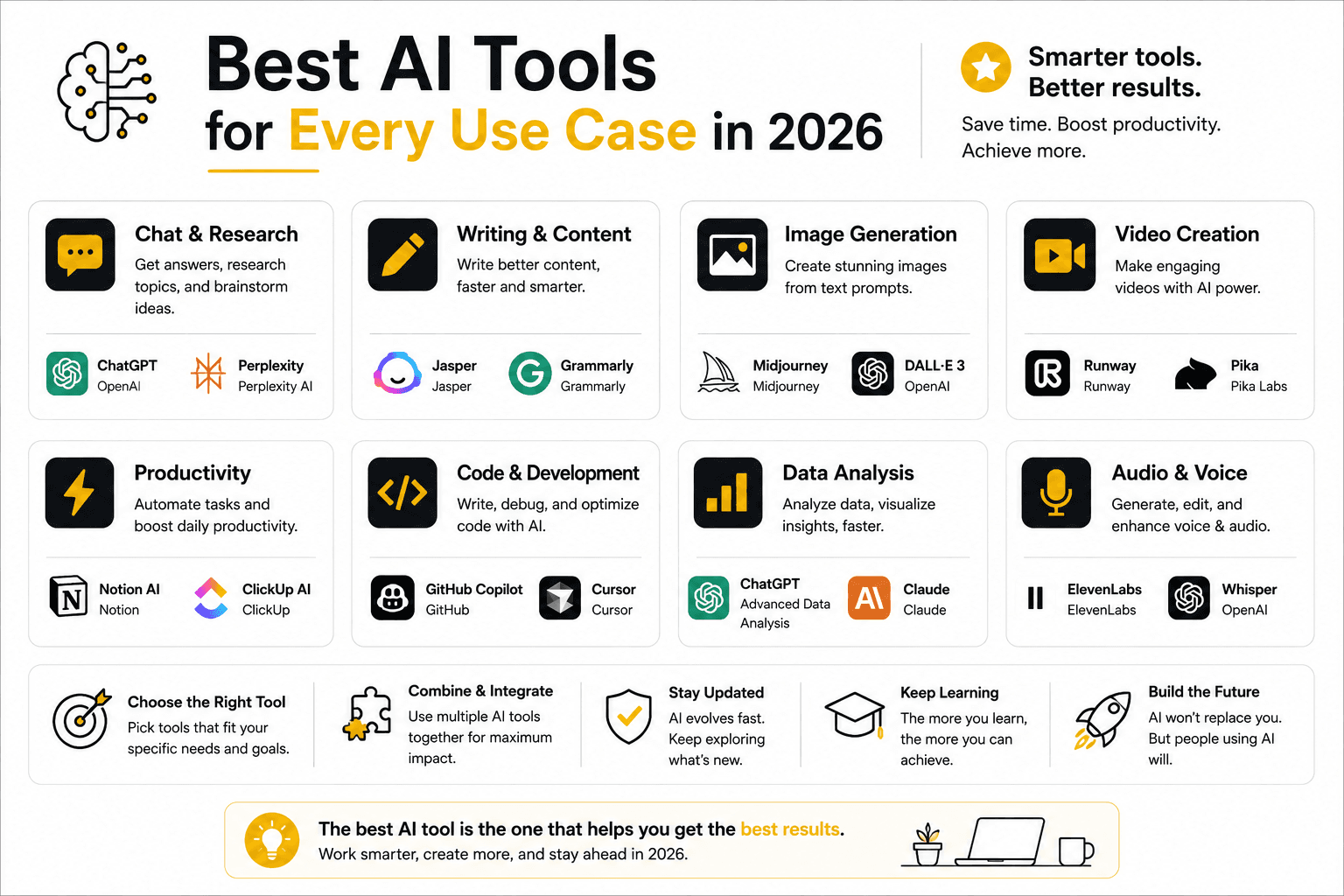
Best AI Tools for Every Use Case in 2026?
The best AI tool for coding, writing, image generation, math, and studying specific subjects in 2026 — with honest trade-offs and links to deeper comparisons for each.
Best AI Tools for Every Use Case in 2026: Coding, Writing, Images, Math & More
Quick Answer
There's no single "best" AI in 2026 — the right tool depends entirely on the task. For coding, Claude (via Claude Code) generally leads on autonomous, multi-file work, with GitHub Copilot and Cursor strong alternatives depending on your workflow. For writing, Claude and ChatGPT are both capable, with Claude often needing less editing for natural-sounding prose. For image generation, Midjourney leads on artistic quality, ChatGPT's image tool is the most accessible for iterative editing, and Google's Imagen (via Gemini) is the strongest free option. For math, Claude, ChatGPT, and Gemini all handle most requests well, with Wolfram Alpha still the reference tool for precise computation. Details and honest trade-offs for each below.
Quick reference: best AI by use case
| Use case | Best starting point | Why |
|---|---|---|
| Coding (agentic, multi-file) | Claude Code | Strongest reported autonomous depth |
| Coding (everyday, in-editor) | GitHub Copilot or Cursor | Faster inline completions, lower cost |
| Writing (long-form) | Claude | Needs less editing for natural prose |
| Writing (quick drafts, versatile) | ChatGPT | Broad, fast, good for iteration |
| Image generation (artistic) | Midjourney | Most polished, "intentional" aesthetic |
| Image generation (easiest, iterative) | ChatGPT (image tool) | Conversational editing, no prompt syntax to learn |
| Image generation (free, photorealistic) | Google Imagen (via Gemini) | Strong free tier, good with text and hands |
| Math | Claude, ChatGPT, or Gemini + Wolfram Alpha | Chatbots handle explanation; Wolfram Alpha for exact computation |
| Studying a specific subject | Claude or ChatGPT | Both handle subject-specific tutoring reasonably well |
| Interior design concepts | Midjourney or Gemini | Best for photorealistic room mockups from a description |
Best AI for coding
For coding specifically, the honest answer depends on what kind of coding you're doing:
- Autonomous, repository-scale work (large refactors, exploring an unfamiliar codebase, multi-step engineering tasks): Claude, through Claude Code, is the most commonly recommended starting point based on independent benchmarks and developer reports throughout 2026.
- Everyday, in-editor assistance (tab completion, inline suggestions, staying inside your existing IDE): GitHub Copilot and Cursor are both strong, with Copilot typically cheaper at the entry level and more flexible on model choice, while Cursor offers a more purpose-built AI-native editing experience.
We've gone deep on both of these exact comparisons separately: Claude Code vs Cursor and Claude Code vs GitHub Copilot. If you're not sure which category your work falls into, both articles include a "which should you choose" breakdown by developer type.
Best AI for writing (and essays)
For long-form writing — essays, articles, marketing copy, creative fiction — Claude is frequently cited by writers and editors as producing prose that needs less editing to sound natural, with fewer generic transitions and repetitive structure than other assistants default to. ChatGPT remains extremely capable, especially when guided with a detailed style prompt, and its broader toolset (including native image generation for illustrating a piece) makes it a reasonable single-tool choice if you don't want to juggle multiple subscriptions.
For structured academic writing specifically — essays, research summaries — the same logic applies: draft with whichever tool you prefer, but treat the output as a first draft that still needs your own review, argument development, and fact-checking, not a finished submission. For a fuller look at how Claude and ChatGPT compare specifically on writing quality, see Claude vs ChatGPT.
Best AI for image generation
This category has genuinely fractured into specialists rather than one clear winner, and most independent 2026 testing agrees on the general shape of who's strong at what:
- Midjourney consistently leads on artistic, stylized quality — concept art, mood boards, hero imagery with a distinctive, polished look. Trade-offs: subscription-only, weaker text rendering, and a steeper learning curve than a conversational tool.
- ChatGPT's image generator is the most accessible option for most people, since it's already inside a tool many people use daily and supports natural, conversational editing — "make it more minimal," "move the subject left" — rather than needing precise prompt syntax.
- Google's Imagen (accessible through Gemini) offers a strong free tier and has been specifically praised for photorealism, hands, textures, and text rendering inside images — a common weak point for other generators.
- Ideogram is the specialist pick specifically when the image needs readable text — posters, logos, signage — a task most general-purpose generators still struggle with.
- Stable Diffusion / Flux (open-weight) are the picks for developers or high-volume use cases who want self-hosting, fine-tuning, or the lowest per-image cost at scale.
The realistic approach most professionals land on: use whichever tool is already part of your workflow (often ChatGPT or Gemini, since you're likely already paying for one) for everyday needs, and reach for Midjourney or Ideogram specifically when the output needs to be public-facing or contains text.
Best AI for math
General-purpose assistants — Claude, ChatGPT, and Gemini — all handle typical math questions reasonably well: explaining a concept, walking through a proof, checking a homework approach, or helping debug a calculation. Where they can still stumble is on precise, multi-step numerical computation, especially anything involving symbolic math, unit conversion, or exact fractions carried through many steps.
For that specific need, Wolfram Alpha remains the standard reference tool — it's purpose-built for exact computation rather than conversational explanation, and pairing it with a chatbot (use the chatbot to understand the concept, Wolfram Alpha to verify the exact number) covers both sides of the problem well.
Best AI for studying a specific subject
For subject-specific study help — organic chemistry, statistics, a foreign language, a specific programming language — general-purpose assistants like Claude and ChatGPT generally perform well as tutors, since the underlying models have broad training across academic subjects. The practical difference between them tends to be conversational style rather than subject-specific accuracy: Claude tends to walk through reasoning more explicitly step by step, while ChatGPT often gives a more concise answer unless asked to show its work.
A worthwhile habit regardless of which tool you use: ask it to explain its reasoning, not just give the final answer, and independently verify anything you're relying on for a graded assignment — general-purpose models can still make subject-specific errors, particularly in fast-moving or highly technical fields.
Best AI for interior design
For visualizing interior design concepts — "what would this room look like with a different color palette," or generating mood-board-style inspiration from a description — general image generators do most of the heavy lifting here rather than a dedicated "interior design AI." Midjourney's strength in photorealistic lighting and material rendering makes it a strong pick for polished concept images, while Google's Imagen (via Gemini) is a solid free starting point for quick photorealistic mockups. Neither replaces an actual interior designer for real-world measurements, structural feasibility, or sourcing — treat the output as inspiration and concept exploration, not a construction-ready plan.
A note on using AI for school
If you're searching for "best AI for school" or "best AI for school work," it's worth pausing on how you use whatever tool you pick. AI assistants are genuinely useful for studying — explaining a concept you're stuck on, checking your own work, generating practice questions — but submitting AI-generated writing as your own for a graded assignment is a different matter entirely, one most schools explicitly prohibit and can usually detect. The tools recommended throughout this guide are the same ones useful for legitimate studying; the distinction is entirely in how you use the output, not which tool you choose.
FAQ
What's the best AI for coding? It depends on the type of coding. Claude, through Claude Code, is generally the strongest pick for autonomous, multi-file work. GitHub Copilot and Cursor are both strong for everyday, in-editor coding assistance.
What's the best free AI tool? All three major assistants — Claude, ChatGPT, and Gemini — offer usable free tiers with daily limits. For image generation specifically, Google's Imagen (via Gemini) is generally considered the strongest fully free option in 2026.
What's the best AI for writing essays? Claude and ChatGPT are both capable for drafting and structuring an essay. Use either as a starting point and drafting aid, not a final submission — always review, verify, and add your own analysis before turning in academic work.
Is there an AI specifically for organic chemistry or other specific subjects? Not usually a dedicated one — general-purpose assistants like Claude and ChatGPT handle most subject-specific tutoring reasonably well because of their broad training. For fast-moving or highly technical topics, independently verify anything used for graded work.
What's the best AI for image generation? There's no single winner — Midjourney leads on artistic quality, ChatGPT's image tool is the most accessible for conversational editing, Google's Imagen is the strongest free option, and Ideogram is the specialist for text-in-image work like logos and posters.
Can I get in trouble for using AI on school work? Using AI to study, check your understanding, or get unstuck is generally fine and increasingly encouraged. Submitting AI-generated content as your own original work for a grade is different, is prohibited by most academic institutions, and is often detectable — check your school's specific policy before relying on AI for a graded assignment.
Do I need to pay for more than one AI tool? Not necessarily, but many people who work across categories — coding, writing, images — end up running two or three tools rather than one, since no single assistant currently leads at everything. Free tiers on Claude, ChatGPT, and Gemini are enough to test which combination actually fits your work before paying for anything.
Conclusion
"Best AI" isn't really a single answer in 2026 — it's a question that only makes sense once you attach it to a specific task. Claude tends to be the strongest starting point for coding depth and long-form writing; ChatGPT and Gemini both offer broader, more accessible toolkits, especially for image generation; and specialist tools like Wolfram Alpha or Ideogram still beat general-purpose assistants at the one narrow thing they're built for. Start with the use-case table above, test the free tier of whichever tool fits, and go deeper with the dedicated comparisons linked throughout this guide once you've narrowed down what you actually need.
Related
Resources
Claude Pro vs Max: Which Plan Actually Pays for Itself in 2026?

Best AI Video Generator in 2026: 15 Tools Compared (Free & Paid)
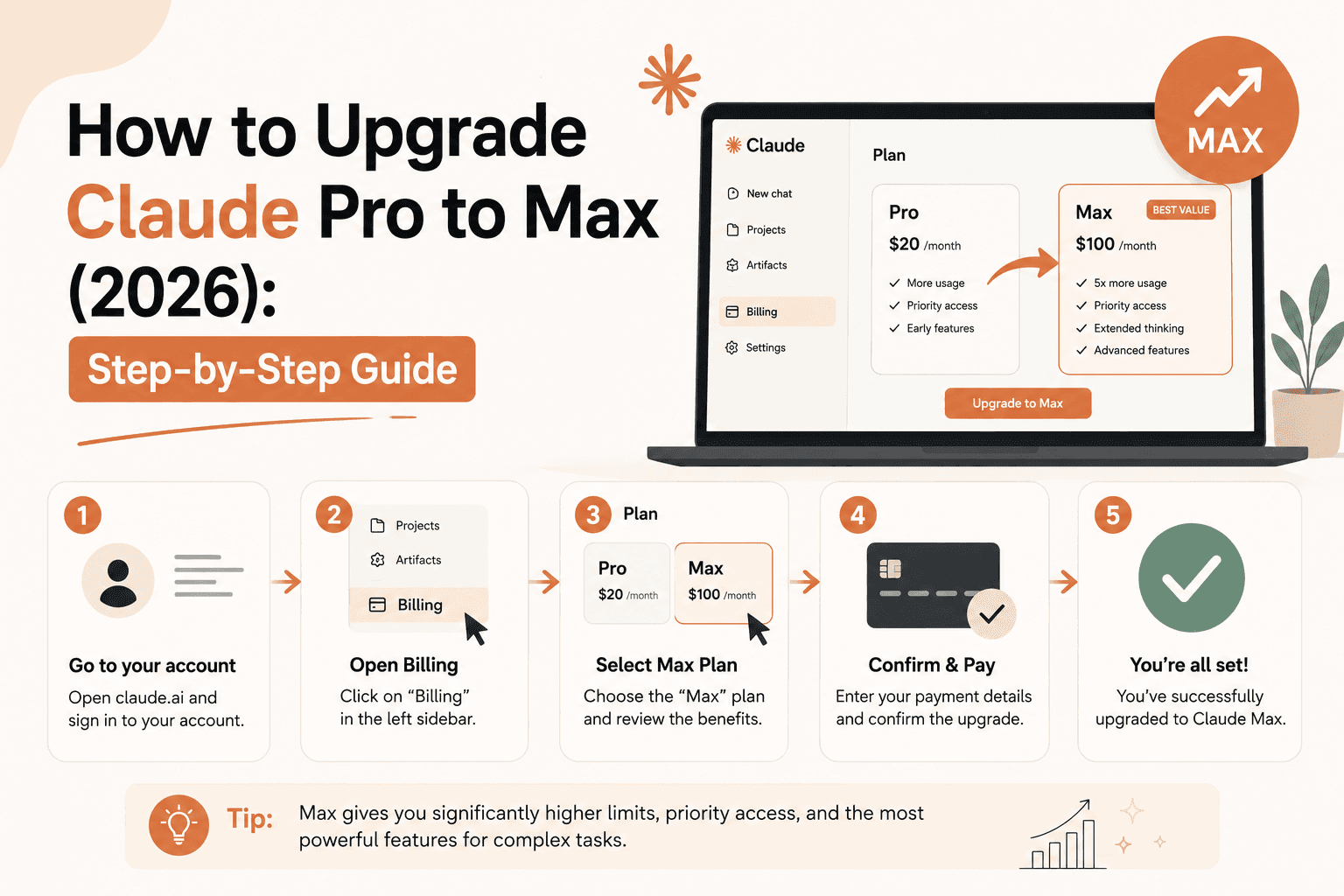
How to Upgrade Claude Pro to Max (2026): Step-by-Step Guide
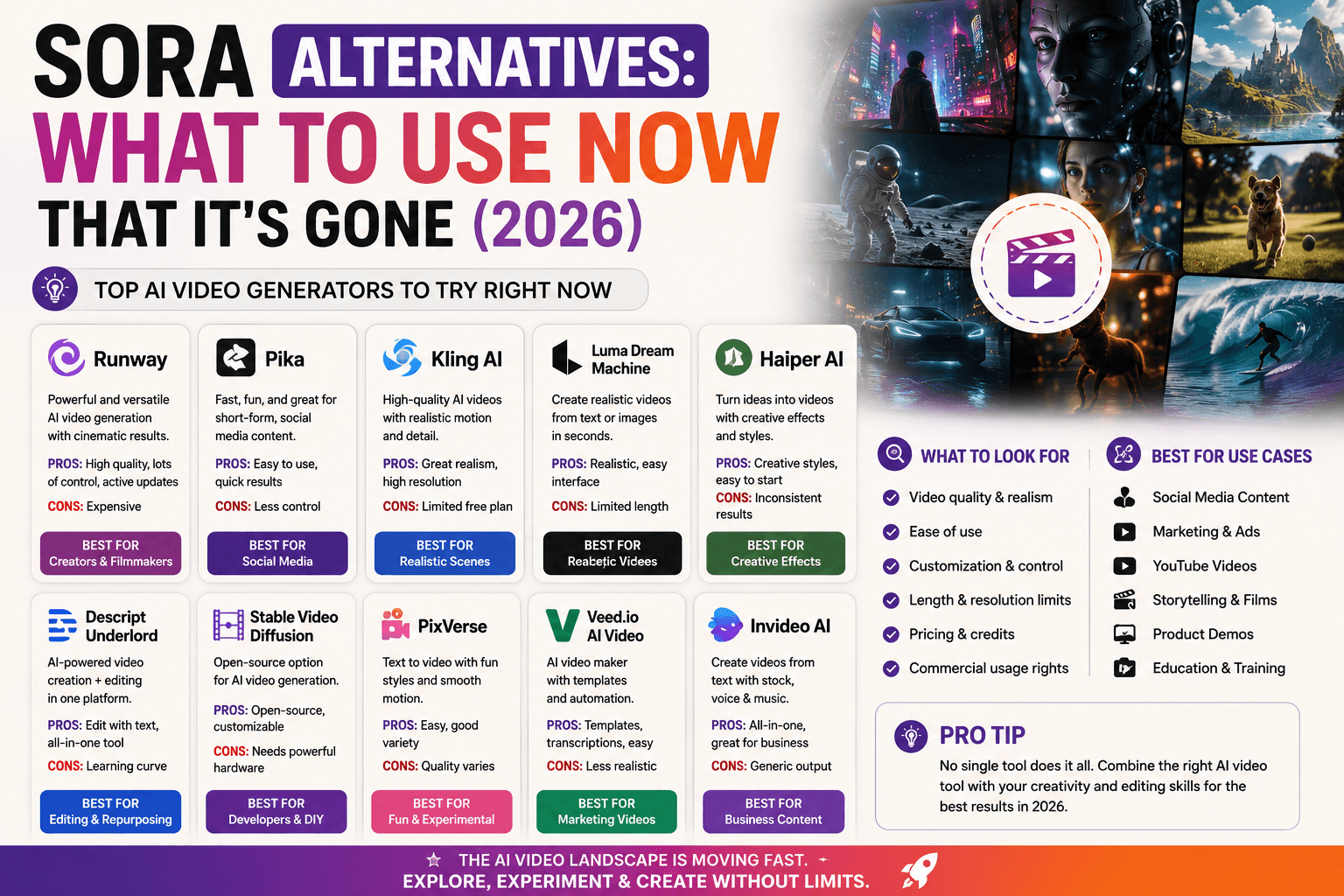
Sora Alternatives: What to Use Now That It's Gone (2026)