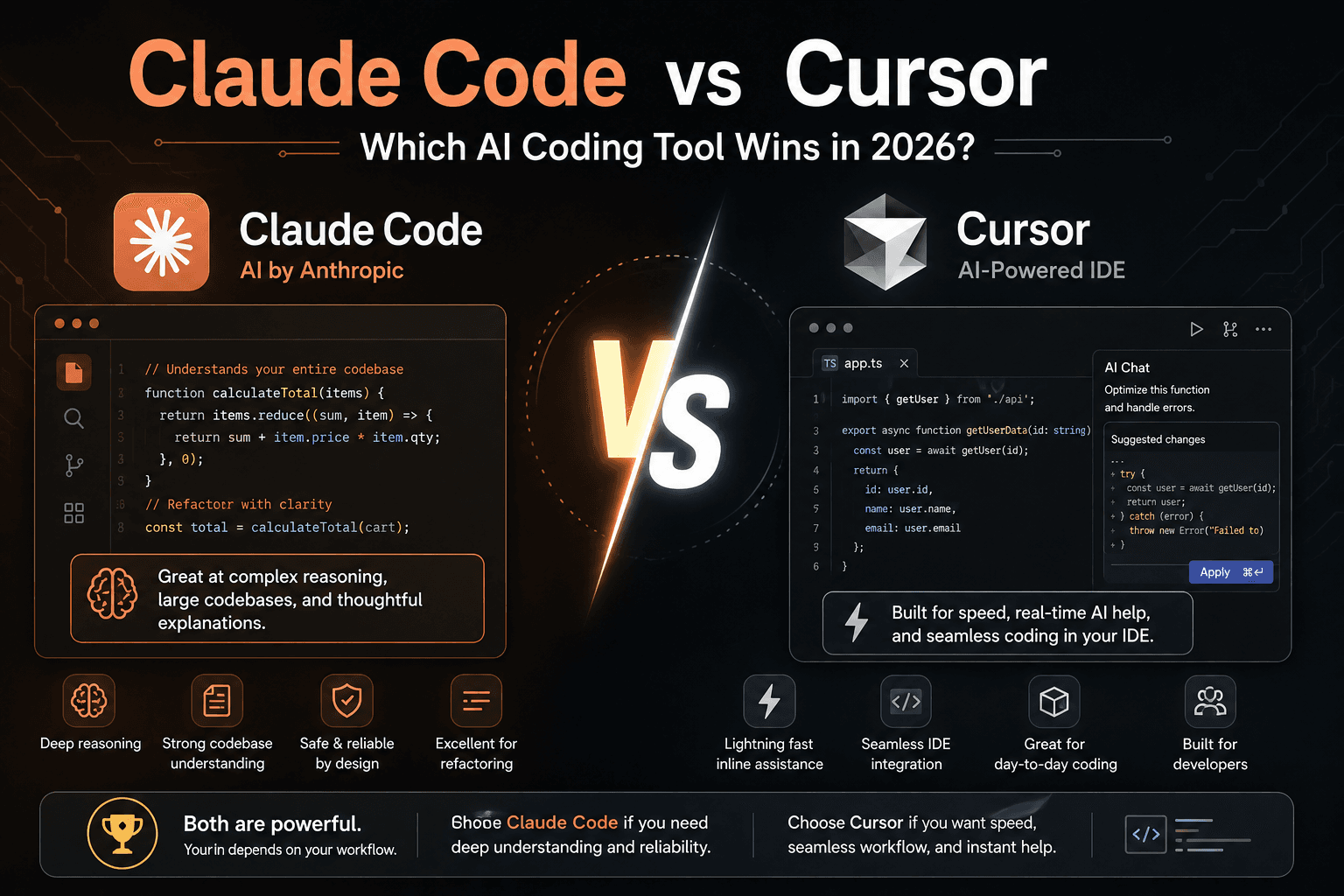
Claude Code vs Cursor: Which AI Coding Tool Wins in 2026?
Compare Claude Code vs Cursor across agentic coding, codebase understanding, pricing, and workflow. Find out which AI coding tool is right for you in 2026.
Claude Code vs Cursor: Which One Will Make You Code Faster in 2026?
Claude Code and Cursor are both AI coding tools, but they're designed around different workflows. Cursor is an AI-native code editor — a fork of VS Code — that you drive with your mouse and keyboard. Claude Code is a terminal-based coding agent from Anthropic that you drive with prompts and let run autonomously. Cursor is generally the stronger choice for IDE-based development, tab completion, and interactive editing; Claude Code is stronger for agentic, repository-level tasks and terminal-driven workflows. Most developers who've tried both end up using one as their daily editor and the other for the heavier autonomous work — more on that pattern below.
Claude Code vs Cursor at a glance
| Claude Code | Cursor | |
|---|---|---|
| Entity | AI coding agent | AI code editor (IDE) |
| Made by | Anthropic | Anysphere |
| Interface | Terminal, VS Code, JetBrains, desktop, web | Standalone editor (VS Code fork) |
| Core strength | Autonomous, repository-level tasks | Interactive, in-editor assistance |
| Workflow style | Brief the agent, let it work, review the result | Write and edit with AI assistance in real time |
| Model access | Claude models only (deep, native integration) | Multiple models — Claude, GPT-5, Gemini |
| Best fit | Terminal-first, agentic, multi-file work | Visual, IDE-native, daily coding |
What is Claude Code?
What it is: Claude Code is Anthropic's coding agent. It runs in the terminal (and also inside VS Code, JetBrains, a desktop app, and the web), reads and understands an entire codebase, and executes multi-step engineering tasks autonomously — exploring files, running commands, making edits across many files, and iterating based on test results, with comparatively little hand-holding once it has clear instructions.
Best for:
- Complex, multi-file coding tasks
- Exploring and understanding unfamiliar repositories
- Large-scale refactoring
- Terminal-native workflows
- Autonomous, agent-driven development
Main strengths:
- Deep, repository-level codebase understanding
- Native, tightly integrated access to Claude's models rather than juggling multiple providers
- Strong reported token efficiency on complex tasks (more on this below)
- Works the same way whether you're in a terminal, an IDE, or the desktop app
Main limitations:
- No standalone free tier — it's included with a paid Claude plan (Pro or higher) or billed via API credits, not something you can try for free indefinitely
- Usage is shared across Claude.ai chat, the desktop app, and Claude Code itself, so heavy chat use can eat into your coding budget
- Less suited to fast, visual, line-by-line editing than a purpose-built IDE
Best for: developers who prefer agentic, terminal-based workflows over clicking through an editor.
What is Cursor?
What it is: Cursor is an AI-first code editor built on top of VS Code, from Anysphere. Rather than bolting AI onto an existing editor, Cursor is built around it from the ground up — tab completion, inline diffs, chat-with-your-codebase, and a background "Composer" agent for multi-file changes are all first-class parts of the interface rather than an add-on.
Best for:
- Everyday, interactive coding
- Fast tab-completion and inline edits
- Developers who want to stay inside a familiar VS Code-style interface
- Visual review of AI-suggested changes before accepting them
Main strengths:
- Genuinely excellent tab completion and inline editing — this is where Cursor gets cited most consistently as the stronger tool
- Flexibility to route between multiple models (Claude, GPT-5, Gemini) depending on the task
- A free Hobby tier to try before committing
- Familiar, VS Code-like environment with a low learning curve
Main limitations:
- Locked into its own editor (a VS Code fork) — you can't use it as a pure terminal agent the way Claude Code works
- "Auto" mode picks a model for you, but manually selecting a specific model draws from a shared credit pool that can run out faster than expected on heavy days
- Multi-file, fully autonomous refactors are possible via its Composer agent but generally reported as less hands-off than Claude Code's terminal workflow
Best for: developers who want an AI-native IDE for daily, visual, interactive coding.
Claude Code vs Cursor: key differences
AI Coding
Which is better for general AI-assisted coding? Both handle everyday coding well, but the experience is fundamentally different: Claude Code assists by taking on a task and reporting back, while Cursor assists in real time as you type and edit. Neither is "more AI" than the other — they apply AI at different points in the workflow.
Codebase Understanding
Which is better for understanding an unfamiliar codebase? Claude Code is generally the stronger choice here. Its terminal-native workflow is built to explore a repository — reading files, tracing dependencies, running commands to verify assumptions — before making changes, which developer reports consistently describe as more thorough than Cursor's more localized, editor-centered context.
Agentic Coding
Which is better for autonomous, multi-step tasks? Claude Code. It was built specifically for this: brief it on a task, and it will explore the codebase, make changes across multiple files, run tests, and iterate — with less need to supervise each step. Cursor's Composer agent covers similar ground but is more commonly used for shorter, more supervised bursts of multi-file editing rather than long autonomous runs.
Autocomplete
Which is better for tab completion and inline suggestions? Cursor, clearly. This is the single feature Cursor is most consistently praised for — fast, accurate tab completion baked into the core editing experience. Claude Code, as a terminal agent, doesn't compete in this category at all; it's simply not what it's built for.
Refactoring
Which is better for large, multi-file refactors? Claude Code, particularly as the number of files grows. Independent and developer-reported testing consistently describes Claude Code handling large, cross-file refactors with less supervision, while Cursor performs well on smaller, more contained refactors that benefit from visual, step-by-step review.
Debugging
Which is better for debugging? This one's closer to a tie. Both tools can trace an error back through a codebase and propose a fix; the difference is workflow rather than capability — Cursor lets you watch and steer the fix happen inline in the editor, while Claude Code will more often run the failing tests itself, adjust, and re-run until they pass, then report the outcome.
Terminal Workflow
Which is better for terminal-native development? Claude Code, without much contest — it's built around the terminal as a first-class interface, not a secondary one. Cursor can be used alongside a terminal, but the terminal isn't where its AI features actually live.
IDE Experience
Which is better as a day-to-day editor? Cursor. It's a full, polished editor with AI woven directly into the writing and editing experience. Claude Code can run inside VS Code and JetBrains, but it remains agent-first even there — it's not attempting to be a general-purpose editor the way Cursor is.
What independent testing shows
Rather than fabricate a scored benchmark table from tasks we didn't actually run side by side under controlled conditions, here's what's genuinely documented by independent testing and widely cited developer reports as of mid-2026:
- Token efficiency: one widely cited independent benchmark had Claude Code (running Opus) complete a coding task using roughly 33,000 tokens with no errors, while Cursor's agent (running GPT-5 for the same task) used roughly 188,000 tokens — a reported 5.5x difference. If you're paying per-token via API rather than a flat subscription, this gap can matter more than the sticker price on either tool.
- SWE-bench and similar coding benchmarks: Claude's models have consistently ranked at or near the top of agentic coding benchmarks like SWE-bench Verified through 2026, and Cursor's own Composer agent has posted competitive scores on its internally reported "CursorBench" and on SWE-bench Multilingual. These numbers shift with nearly every model release from either company, so treat any single score you read — including ones cited here — as a snapshot, and check the official SWE-bench leaderboard or an independent tracker directly before making a purchasing decision based on benchmark numbers alone.
- Cost-per-task on simple work: at least one independent comparison found Cursor delivering more accuracy per dollar than Claude Code specifically on small, simple utility-function tasks, while the advantage flipped decisively toward Claude Code on complex, multi-file refactors — a pattern that lines up with how each tool is actually built.
The consistent theme across independent sources: Cursor tends to win on speed and cost for small, contained tasks; Claude Code tends to win on complex, multi-file work, often while using meaningfully fewer tokens to get there.
Claude Code vs Cursor: pricing
Last updated: August 2026 — confirm current numbers at claude.com/pricing and cursor.com/pricing, since both companies have repriced these tools more than once in 2026.
| Claude Code | Cursor | |
|---|---|---|
| Free tier | None — requires a paid Claude plan or API credits | Yes (Hobby, limited requests) |
| Entry paid tier | Pro, $20/month — shared usage across Claude.ai chat and Code | Pro, $20/month — unlimited tab completion + ~$20 of included model usage |
| Mid tier | — | Pro+, $60/month — more included usage, adds background agents |
| Top individual tier | Max 20x, $200/month — 20x Pro's usage, expanded context, priority access | Ultra, $200/month — roughly $400 of included model usage |
| Getting Opus/top-tier model access | Requires Max ($100/month or higher) for Opus inside Claude Code itself | Available via manual model selection on any paid tier, drawing from the credit pool |
| Team pricing | Roughly $25/seat/month (Standard) up to ~$125/seat/month (Premium, full access) | Roughly $40/seat/month (Standard) up to ~$120/seat/month (Premium) |
| Usage model | Rolling 5-hour window + weekly cap, shared across chat and Code | Unlimited tab completion + a spendable credit pool for premium model calls |
Which gives better value? It depends heavily on how you work. If you mostly want fast tab completion and light AI assistance while writing code interactively, Cursor's $20 Pro tier is generally the better deal — you get a free tier to test it first, and unlimited completions are hard to beat for daily editing. If your work leans toward autonomous, multi-file refactors and repository-level tasks, Claude Code tends to justify its cost through fewer wasted tokens and less supervision needed per task, even though it has no free tier to try first. For a full breakdown of Claude's own plan tiers specifically — including a detail most comparisons miss, that Opus access inside Claude Code differs between Pro and Max — see our dedicated Claude Pro vs Max comparison.
Which one should you choose?
Choose Claude Code if:
- You work heavily in the terminal
- You regularly work with large, unfamiliar repositories
- You want to hand off autonomous, multi-step coding tasks
- You frequently refactor across many files at once
- You prefer an agentic, brief-and-review workflow over line-by-line editing
Choose Cursor if:
- You want an AI-first IDE as your daily driver
- You rely heavily on tab completion and inline suggestions
- You prefer a visual, interactive editing experience
- You want to try before committing, via the free Hobby tier
- You want a smoother, VS Code-like experience with AI built in
Use both if: you want Cursor as your everyday editor — for writing, tab completion, and quick inline fixes — with Claude Code running in a terminal pane for the heavier, multi-file, autonomous work. This is reportedly the most common setup among developers who've tried both long enough to have a strong opinion, rather than picking one and abandoning the other.
Claude Code vs Cursor by developer type
| Developer type | Recommendation |
|---|---|
| Beginner | Cursor |
| Frontend developer | Cursor |
| Backend developer | Both |
| Full-stack developer | Both |
| DevOps | Claude Code |
| Terminal-heavy developer | Claude Code |
| Working in a large, legacy codebase | Claude Code |
| VS Code loyalist | Cursor |
| AI power user / heavy daily usage | Both |
Can you use Claude Code and Cursor together?
Yes, and this is a genuinely common workflow that a lot of comparisons skip over entirely. In practice, it looks something like this: Cursor handles daily coding — writing new code, tab completion, inline edits, quick visual reviews of small changes. When a task grows into something that needs repository-level exploration, a large refactor, or autonomous multi-step work, that gets handed to Claude Code running in a terminal pane alongside the editor. Neither tool has to be "the one" — Cursor stays the editor of record for hands-on work, and Claude Code becomes the agent you brief for the heavier lifting, with the two operating side by side rather than in competition.
Alternatives
If neither tool quite fits your workflow, a few other AI coding tools worth a contextual mention: GitHub Copilot, Windsurf, Cline, Aider, Zed, and Gemini Code Assist each take a somewhat different approach to AI-assisted development. If you're also still deciding which underlying AI assistant you want powering your workflow more broadly — not just for coding — our Claude vs ChatGPT vs Gemini comparison covers that broader decision.
FAQ
Is Claude Code better than Cursor? Neither is universally better — Claude Code is generally stronger for autonomous, repository-level coding tasks, while Cursor is generally stronger for interactive, IDE-based development with tab completion. The right choice depends on your workflow.
Can Claude Code replace Cursor? For some developers, yes — if your work is mostly agentic and terminal-driven, Claude Code alone can cover most of what you need. But if you rely heavily on tab completion and visual, in-editor assistance, Cursor covers ground Claude Code isn't designed to compete on.
Can you use Claude Code with Cursor? Yes. Many developers run Cursor as their daily editor and Claude Code in a terminal pane for larger, more autonomous tasks — the two tools aren't mutually exclusive and are commonly used together.
Is Cursor better for beginners? Generally, yes. Cursor's familiar, VS Code-like interface and free Hobby tier make it easier to start with than Claude Code, which is terminal-first and has no free tier.
Is Claude Code better for large codebases? Yes, generally. Claude Code's repository-level exploration and multi-file editing are consistently reported as stronger for large or unfamiliar codebases than Cursor's more editor-centered context.
Which is better for coding, Claude Code or Cursor? It depends on the type of coding. For autonomous, multi-file, repository-level work, Claude Code is generally the stronger pick. For everyday interactive coding with strong autocomplete, Cursor is generally the stronger pick.
Is Claude Code an IDE? No. Claude Code is a coding agent, not an IDE — it runs primarily in the terminal, though it can also operate inside VS Code, JetBrains, a desktop app, or the web. Cursor, by contrast, is a full IDE built on top of VS Code.
Final verdict
There is no universal winner. Cursor is the better choice if you want an AI-native IDE, excellent autocomplete, and an interactive coding experience. Claude Code is the better choice if your workflow revolves around terminal commands, repository-level changes, and autonomous coding tasks. Developers who work heavily across both types of tasks tend to get the most value from using both rather than forcing one tool to cover everything.
| Your priority | Pick |
|---|---|
| Best AI-native IDE | Cursor |
| Best agentic workflow | Claude Code |
| Best autocomplete | Cursor |
| Best terminal workflow | Claude Code |
| Best for large repositories | Claude Code |
| Best for beginners | Cursor |
| Best overall for IDE users | Cursor |
| Best for power users | Claude Code |
Related
Resources

Claude Pro vs Max: Which Plan Actually Pays for Itself in 2026?

Best AI Video Generator in 2026: 15 Tools Compared (Free & Paid)

How to Upgrade Claude Pro to Max (2026): Step-by-Step Guide

Sora Alternatives: What to Use Now That It's Gone (2026)