AI Prompt for Business Logo: Templates + What AI Can't Do (2026)
AI prompts for business logo concepts by style — minimalist, monogram, mascot, and more — plus the honest limitations (vector, trademark) before you use one for real.
AI Prompt for Business Logo: Formula, Templates & What AI Can't Do (2026)
Quick Answer
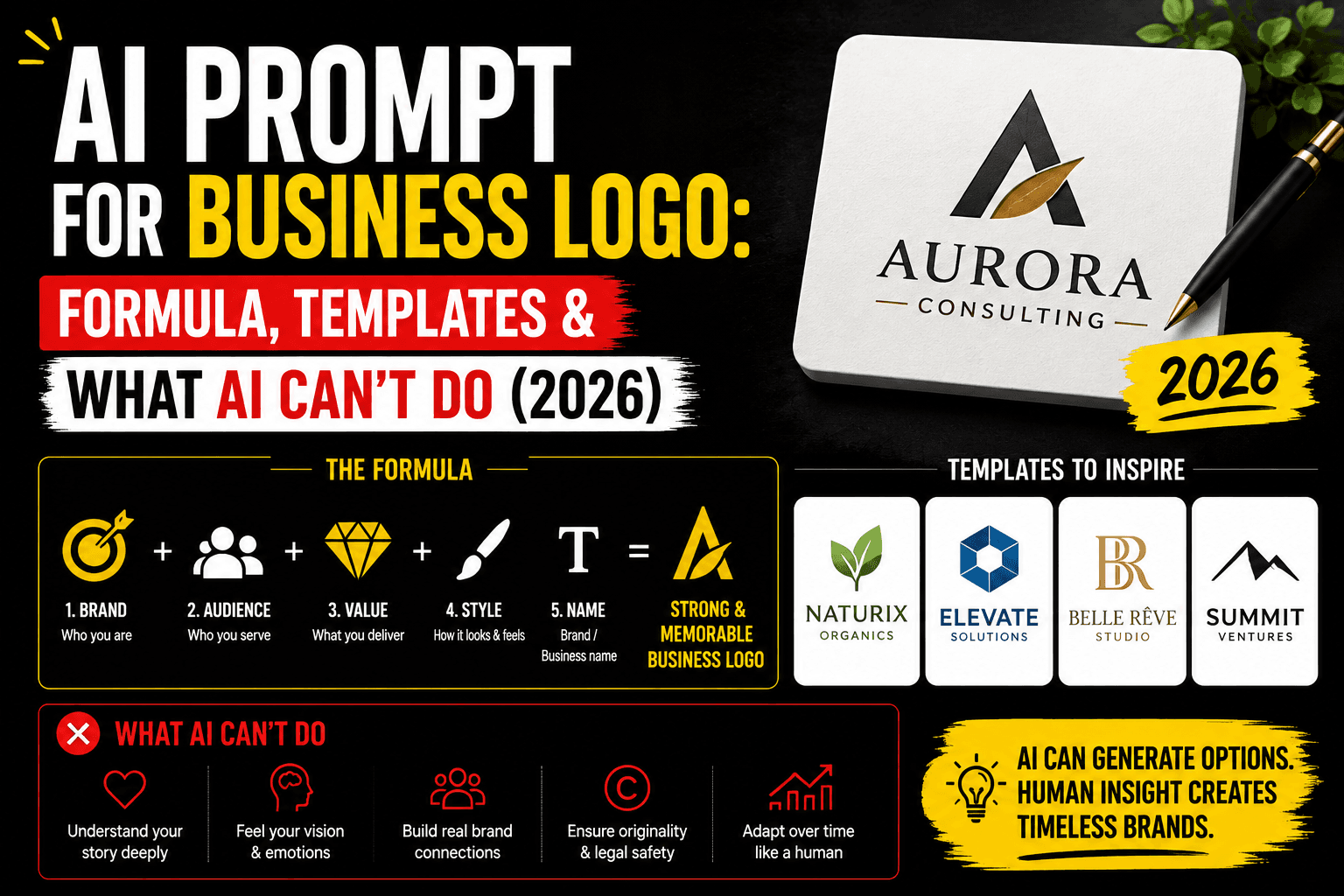
A good AI prompt for a business logo needs a clear logo type (wordmark, monogram, icon, or combination mark), a simple flat design style rather than photorealistic detail, a specific color count, and a plain or transparent background. Before you commit to a result, know the honest limitation: AI image generators produce a flat picture (a PNG or JPG), not a scalable vector file, and a real logo needs to work as a vector at everything from a favicon to a storefront sign. Treat AI-generated logos as a concept and starting point — worth exploring for direction and style — not a finished, ready-to-register brand asset.
What AI can and can't do for a real logo
This is worth being direct about before any prompt template, because it changes how you should use what you generate:
- AI produces a flat image, not a vector file. Professional logos are built as vector graphics (SVG, AI, EPS) so they scale to any size — a tiny app icon or a huge banner — without going blurry or pixelated. AI image generators output raster images, which look fine at the size they were generated but degrade if scaled up significantly. You'll need to either vector-trace the result (using a tool like Adobe Illustrator's Image Trace or an online auto-tracer) or have a designer redraw it cleanly in vector format before using it as your actual, permanent logo.
- Originality and trademark risk are real. AI models are trained on enormous amounts of visual content, including existing logos, and there's a genuine chance a generated "original" design ends up resembling something already trademarked closely enough to cause a real problem. Before committing to any logo — AI-generated or otherwise — for actual business use, run a trademark search rather than skipping straight to printing business cards.
- A real logo needs a whole system, not one image. Full color, single-color, small favicon-sized, large signage-sized, on light backgrounds, on dark backgrounds — a usable brand identity needs consistent variations across all of these, and a single AI generation gives you exactly one static version of one of them.
None of this means AI is useless here — it's genuinely good for exploring directions fast and cheap before you brief a designer or commit to a style. It just means the honest use case is ideation, not a final deliverable.
Logo types and what to specify
Naming the logo type in your prompt makes a bigger difference here than almost any other category of AI image prompt:
- Wordmark — the business name itself, styled as clean typography, no icon
- Lettermark / monogram — initials only, often stylized or interlocked
- Pictorial mark — a simple icon or symbol representing the business
- Abstract mark — a geometric shape or form with no literal meaning, built for brand recognition
- Combination mark — an icon paired with the business name
- Emblem — a badge or crest-style design with text contained inside a shape
The logo prompt formula
- Logo type — wordmark, monogram, icon, abstract, combination, or emblem
- Subject or concept (if applicable) — what the icon should represent, if there is one
- Style — flat, minimalist, geometric, line art, vintage, hand-drawn
- Color count — "single color," "two-color," or a specific palette
- Background — plain white, transparent, or a solid brand color
Formula in one line:
[Logo type] for [business/concept], [style], [color count], [background], vector-style, minimalist branding
Adding "vector-style" as a keyword won't produce an actual vector file, but it does nudge most models toward flatter, simpler output that's easier to trace or recreate afterward.
Prompt templates by style
| Style | Sample prompt |
|---|---|
| Minimalist wordmark | "Clean minimalist wordmark logo, simple modern sans-serif typography, flat design, white background, generous negative space, professional brand identity style" |
| Monogram / lettermark | "Elegant monogram logo combining two interlocking letters, geometric design, flat single color, minimalist, professional branding style" |
| Icon / pictorial mark | "Simple flat icon logo of a mountain peak, geometric shapes, single accent color, minimalist line art, clean vector-style illustration" |
| Abstract mark | "Abstract geometric logo mark, interlocking shapes suggesting motion, flat modern design, bold single color, minimalist tech-brand style" |
| Combination mark | "Modern combination logo with a simple geometric icon above clean sans-serif text, flat minimalist design, single accent color, professional brand identity" |
| Emblem / badge | "Vintage-style emblem logo, circular badge design, bold simple linework, monochrome, classic craft-brand aesthetic" |
| Mascot-style | "Friendly mascot logo character, simple flat illustration, bold outlines, bright single accent color, approachable brand mascot style" |
| Luxury / elegant | "Elegant minimalist logo mark, thin gold linework, refined serif typography, black background, luxury brand identity style" |
For more prompt inspiration and format ideas beyond logos, our roundup of the best AI prompt websites covers several libraries organized by design style and category.
The text-in-logo problem
This is the single hardest version of a problem that shows up across every visual AI prompt category: AI generators are unreliable at rendering clean text, and a logo often lives or dies on its typography being crisp and exact. A wordmark or combination mark that asks AI to spell out your actual business name will frequently come back with subtly wrong letterforms, uneven spacing, or outright misspellings — even when everything else about the image looks polished.
The practical approach professional designers actually use: generate the icon, symbol, or abstract mark with AI for concept direction, then set your actual business name in real typography using a design tool (Canva, Adobe Illustrator, or a font-pairing tool) rather than asking the AI to render your name directly. This also solves the vector problem for at least the text portion of your logo, since type set in a design tool is vector by default.
From AI concept to a usable logo
Once you've generated a direction you like, here's the realistic path to something you can actually use:
- Treat it as a mood board, not a final file. Generate several variations to identify the style, color, and concept direction you actually want.
- Vector-trace or redraw it. Use a vector-tracing tool for simple shapes, or commission a designer to recreate the concept cleanly in vector software — this is the step that makes it scalable and professional.
- Set your business name separately in real typography, as covered above, rather than relying on AI-rendered text.
- Run a trademark search before committing to the design for branding, packaging, or a trademark application.
- Build out the full system — single-color version, small-size version, light and dark background versions — once the core mark is finalized.
Common mistakes
- Treating the AI output as the final logo. It's a raster concept image, not a scalable, trademark-checked, production-ready brand asset.
- Asking AI to spell out the business name directly. The most common source of a logo concept that looks great until you notice the lettering is subtly wrong.
- Overly detailed, photorealistic prompts. Logos need to work small and in one or two colors — a richly detailed, gradient-heavy image rarely translates into something that reads clearly at favicon size.
- Skipping the trademark search. Whether AI-generated or designer-made, a logo that closely resembles an existing trademark is a real legal risk, not a hypothetical one.
Hands-on impressions
Generating an icon-only version of a concept ("simple flat icon logo of a mountain peak, geometric, single color") produced clean, usable-looking results within a couple of attempts — genuinely a fast way to explore direction. Asking the same tool to spell out a specific five-letter business name as a wordmark was a different story: across several attempts, the lettering came back subtly warped or unevenly spaced each time, confirming the text limitation is exactly as real for logos as it is for thumbnails and ads, if not worse given how central clean typography is to a wordmark specifically.
The more useful workflow in practice: generate the icon or abstract mark with AI, then separately typeset the actual business name in a design tool and place it next to the AI-generated icon to preview a combination mark — closer to how a real design process would separate the symbol from the type rather than asking one tool to do both perfectly at once.
FAQ
Can I use an AI-generated logo for my business? You can use it as a concept and starting point, but a raw AI generation typically isn't ready for real business use — it's a raster image, not the scalable vector file a professional logo needs, and it hasn't been checked against existing trademarks.
What's the best AI prompt for a logo? Specify the logo type (wordmark, monogram, icon, abstract, or combination), a flat minimalist style, a specific color count, and a plain background — logos need simplicity, not photorealistic detail.
Why does my AI-generated logo look blurry when I make it bigger? AI image generators produce raster (pixel-based) images, which lose quality when scaled up significantly. A real logo needs to be a vector file, which requires tracing or redrawing the AI concept in vector software.
Can AI spell my business name correctly in a logo? Not reliably. Text rendering, especially precise typography, is one of the weakest areas for current AI image generators. Set your business name separately in a design tool rather than asking AI to render it directly.
Do I need to worry about trademark issues with an AI-generated logo? Yes. AI models are trained on large amounts of existing visual content, including real logos, and a generated design can end up resembling an existing trademark. Run a trademark search before committing to any logo for real business use.
What logo style works best for a small business? It depends on your brand, but simple, flat, one- or two-color styles (minimalist wordmark, icon, or combination mark) tend to translate best across favicons, social profiles, packaging, and signage — the same places a small business logo actually needs to work.
Conclusion
AI is a genuinely useful starting point for exploring logo direction — style, color, concept, mood — faster and cheaper than starting from a blank page. It's not, as of 2026, a replacement for the vector file, trademark clearance, and full brand system a real logo needs before it goes on a business card or a storefront sign. Use the templates above to find a direction you like, keep your actual business name out of the generation itself, and plan on a vector-tracing step or a designer's pass before anything you generate becomes your permanent logo.
Related
Resources
ChatGPT Professional Photo Prompt: 15 Studio-Quality Templates (2026)
AI Halloween Photo: Prompts That Actually Look Like You (2026)
AI Christmas Photo: The Viral Prompt + How to Actually Do It (2026)
AI Prompt for Instagram Post: Formula + Templates (2026)