The Best AI Tools for Developers in 2026
A curated guide to the best AI tools for developers in 2026 — coding assistants, code review, documentation, and agent infrastructure, compared side by side.
The Best AI Tools for Developers in 2026
If you've been writing code for more than a few years, you've probably had that moment where you open your editor, glance at some AI suggestion sitting quietly in the corner, and think: okay, when exactly did this become normal? It crept up on all of us. One year it was autocomplete that occasionally got a variable name right. Now it's agents that read your whole repo, plan a refactor, and open a pull request before you've finished your coffee.
We put this list together the way we'd explain it to a friend who just asked "so what should I actually be using right now?" No fluff, no pretending every tool is a 10/10, and no assuming you need all of them. Pick what fits how you actually work.
AI Coding Assistants: Where Most of Your Time Actually Goes
This is the category everyone asks about first, and for good reason — it's the one that touches your day-to-day the most.
Claude Code has become the go-to pick for anything that isn't a quick edit. It runs right in your terminal (also in the desktop app, and inside VS Code and JetBrains if you'd rather stay in an editor), and it doesn't just autocomplete — it reads your codebase, plans out a change before touching anything, and then actually executes it: editing files, running commands, opening a PR. The thing people notice most after switching to it is that it tends to produce more coherent, "someone actually thought about this" code, especially on the kind of gnarly, multi-file refactor that used to eat an entire afternoon.
GitHub Copilot is still the easiest on-ramp there is, and there's a reason it has the widest install base of any tool on this list. It's baked into VS Code, JetBrains, Neovim — basically wherever you already are — and the free tier (2,000 completions a month) is genuinely usable, not just a trial gimmick. If your team already lives inside GitHub, Copilot is the path of least resistance. It's less about deep architectural reasoning and more about staying in flow: finishing the line you were about to type anyway.
Cursor took a different bet entirely — instead of adding AI to an existing editor, they built the editor around AI from day one. It's a VS Code fork, so it feels familiar within about ten minutes, but its Composer mode lets you describe a change in plain language and watch it ripple across multiple files at once. If you want something that feels like a genuinely AI-native workspace rather than a plugin bolted onto your old setup, this is the one to try first.
Windsurf is worth a mention too, especially if budget matters. At around $15/month it's one of the more affordable AI-native editors, and its Cascade system is surprisingly good at indexing big codebases (we're talking 500+ files) without constantly re-scanning everything from scratch.
A quick, honest note: none of these tools are magic. They're genuinely useful, but they still need someone who understands what "correct" looks like reviewing the output. Think less "autopilot" and more "a very fast, very tireless pair programmer who occasionally needs a second opinion."
AI-Powered Code Review: Catching What You'd Miss at 6pm on a Friday
Writing code is only half the job — someone (or something) still has to review it, and that's where this category comes in.
CodeRabbit is probably the fastest tool to actually get running. Install the GitHub app, and within minutes it's leaving inline comments, PR summaries, and even diagrams of what changed. It works across GitHub, GitLab, Bitbucket, and Azure DevOps, which makes it a safe default if your team isn't married to one platform. Worth knowing: it's a pure LLM reviewer with no deterministic security scanning underneath, so it's a great first line of defense, not a replacement for dedicated security tooling.
Greptile takes a different approach — instead of just reading the diff, it indexes your entire codebase into a graph of functions, classes, and dependencies, so it actually understands how a change ripples outward. In head-to-head testing it tends to catch more real bugs than lighter tools, at the cost of a bit more noise. If you're working in a large monorepo where "this function is used in twelve other places" actually matters, this is the one built for that.
Graphite is a bit of a different animal — it's really a stacked-PR workflow tool (breaking big changes into small, sequenced pull requests) that happens to bundle AI review on top. If your team already works in stacked diffs, the review feature slots in nicely. If you don't, it's probably not worth adopting the whole workflow just to get the AI layer.
Our honest take: for most small-to-mid teams, start with CodeRabbit because it's free to try and takes ten minutes to set up. Upgrade to something like Greptile once your codebase and team are big enough that "surface-level diff review" stops being enough.
AI Documentation & Knowledge Tools
This is the category that gets the least attention and probably deserves more. Nobody loves writing docs, and AI tools have quietly gotten good at the specific, tedious parts of it — generating docstrings from function signatures, summarizing a PR into a changelog entry, turning a messy internal wiki page into something a new hire could actually follow. If your team's documentation situation is "it's somewhere in Slack, good luck," this is worth a look before you reach for anything fancier.
Agent Infrastructure: The Layer Underneath Everything
If you've heard developers talking about "MCP" lately and wondered what the fuss is about — it's basically the plumbing that lets AI tools like Claude Code actually talk to your other systems (GitHub, your database, Slack, whatever) without someone hand-building a custom integration for each one. We go deep on how it actually works in our MCP guide if you want the full breakdown, but the short version for this list: if you're building or connecting AI tools to real infrastructure in 2026, this is the standard you'll run into, whether you're using Claude, ChatGPT, or Gemini on the other end.
Worth Watching
A few things sitting just outside the "everyone uses this" tier but moving fast enough to keep an eye on:
- Cloud coding agents (background agents that pick up a task, work on it independently, and hand you a finished PR) are starting to blur the line between "assistant" and "teammate." Still early, still needs supervision, but the trajectory is obvious.
- Prompt-to-app builders are carving out their own lane entirely — different job than a coding assistant, more useful for prototypes and internal tools than production systems, but genuinely fast for what they do.
- Expect the code-review category especially to keep consolidating. A few of today's standalone tools have already been folded into bigger platforms, and that trend isn't slowing down.
So, Which One Do You Actually Pick?
Honestly? Start with whichever one matches how much friction you're willing to tolerate today.
- Want the lowest-effort starting point, especially if you're new to this or already deep in the GitHub ecosystem? GitHub Copilot.
- Want an editor that was designed around AI instead of having it bolted on? Cursor.
- Working on something architecturally messy — a big refactor, a gnarly bug, a migration that touches half the codebase? Claude Code is built for exactly that kind of work.
- Tight on budget but still want an AI-native editor? Windsurf.
- Ready to stop manually reviewing every PR line by line? Start with CodeRabbit, and graduate to Greptile once your codebase outgrows it.
None of this is permanent, either. This space moves fast enough that "the best tool" is really more like "the best tool for right now" — so treat this list as a starting point, not a final answer, and don't be afraid to swap something out in six months when a better option shows up.
Have a tool you think deserves a spot on this list? We're always updating it — reach out and tell us what you're using.
Related
Resources
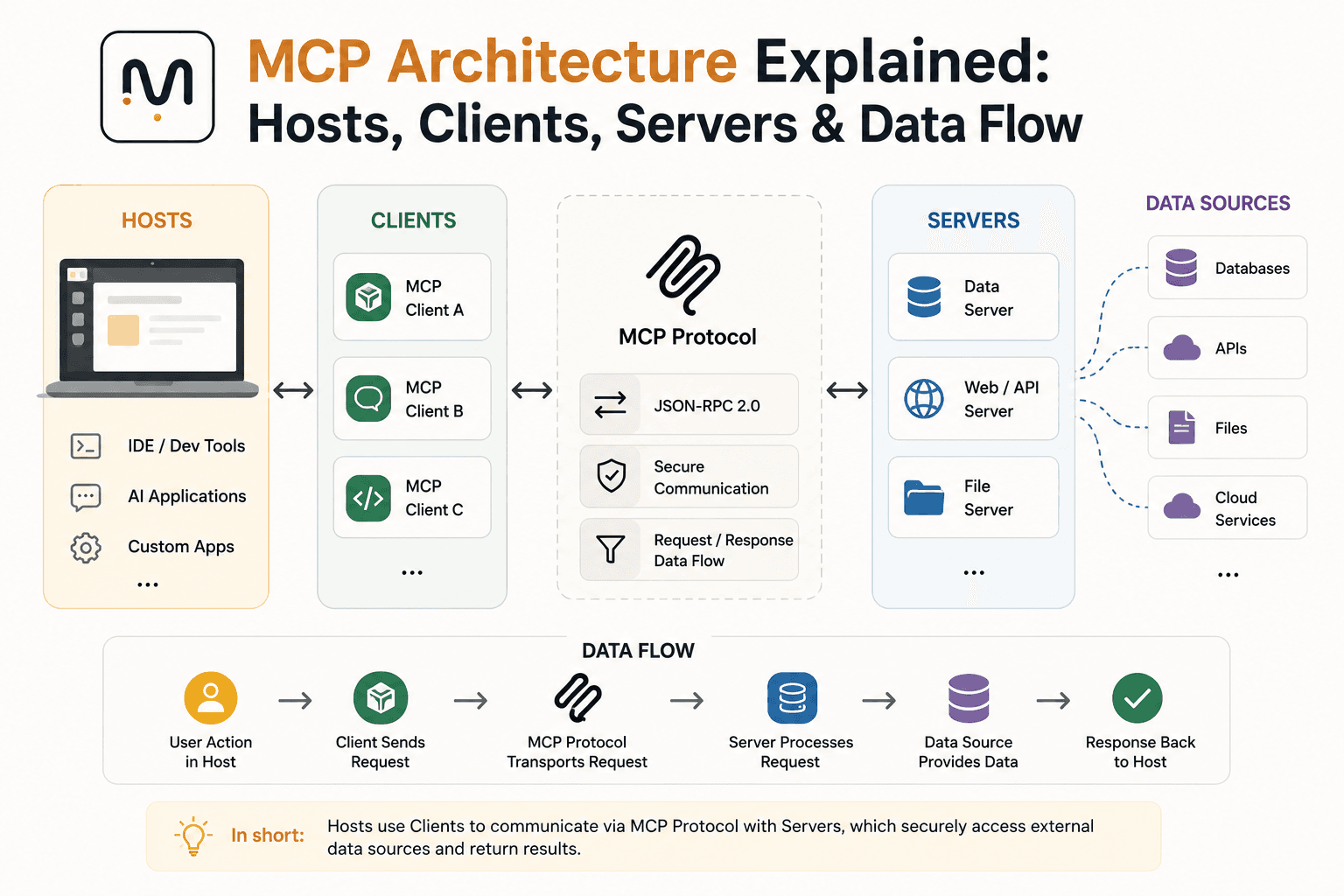
MCP Architecture Explained: Hosts, Clients, Servers & Data Flow
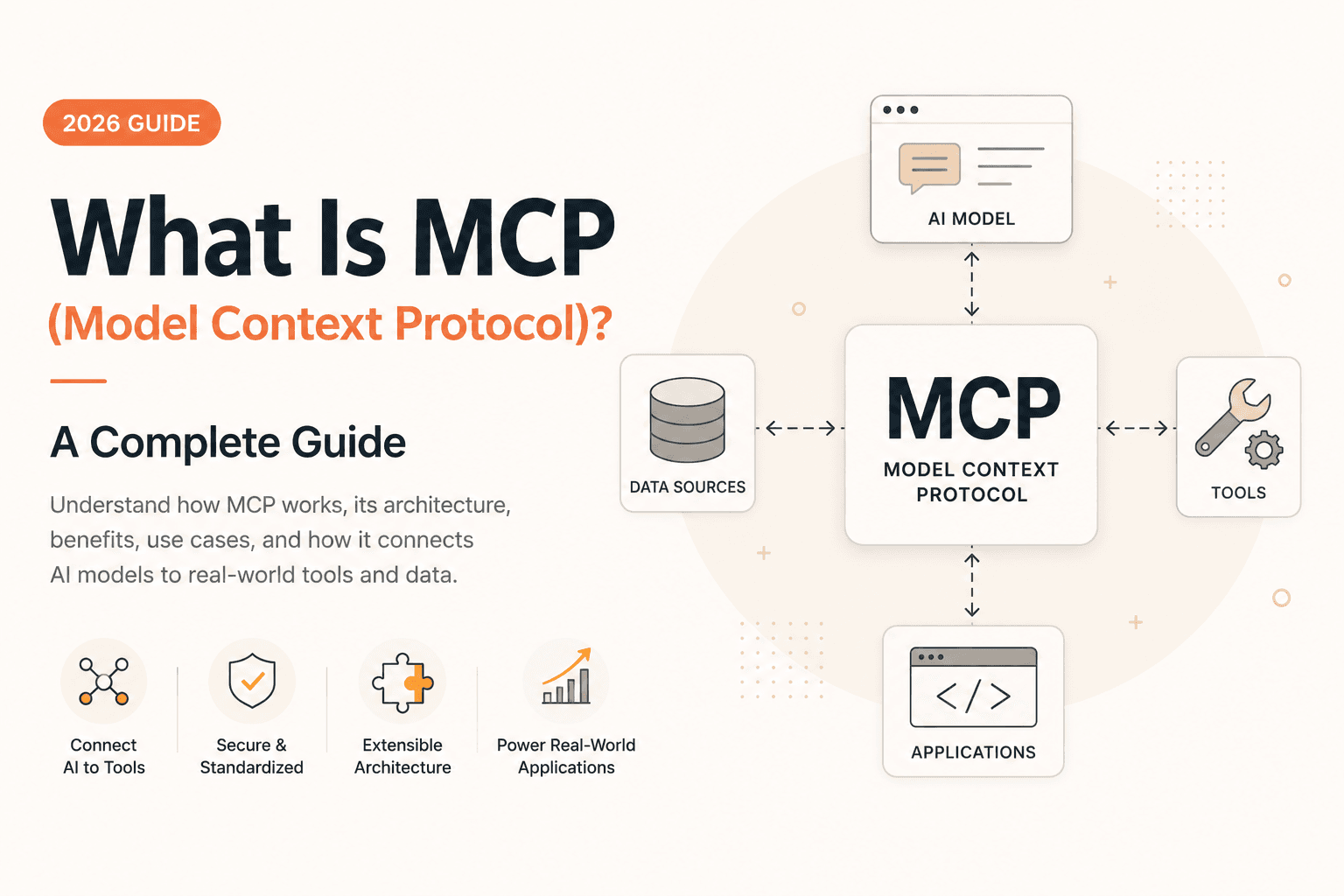
What Is MCP (Model Context Protocol)? A Complete Guide (2026)

OpenRouter API Tutorial: How to Connect & Fetch LLM Responses (JS/Node.js)
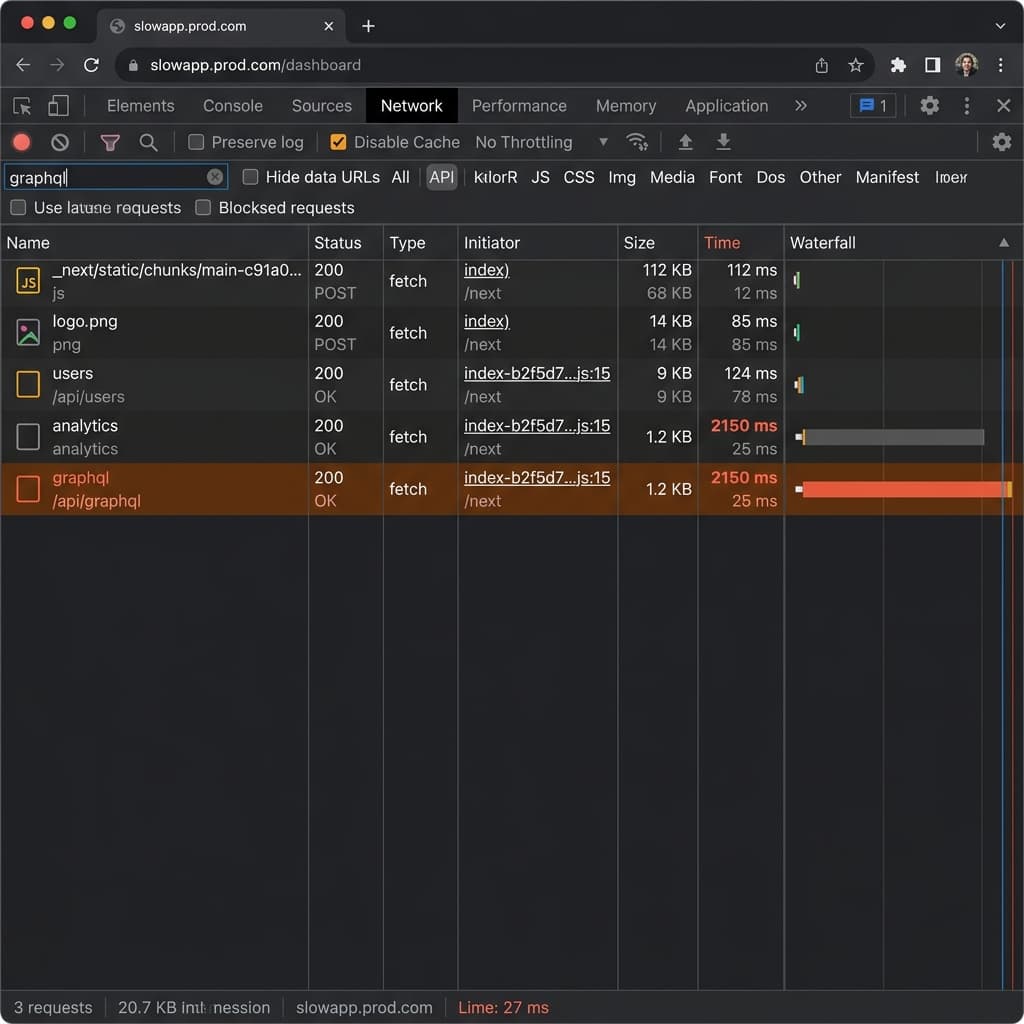
Why Is Next.js Fast Locally but Slow on Vercel + Supabase?