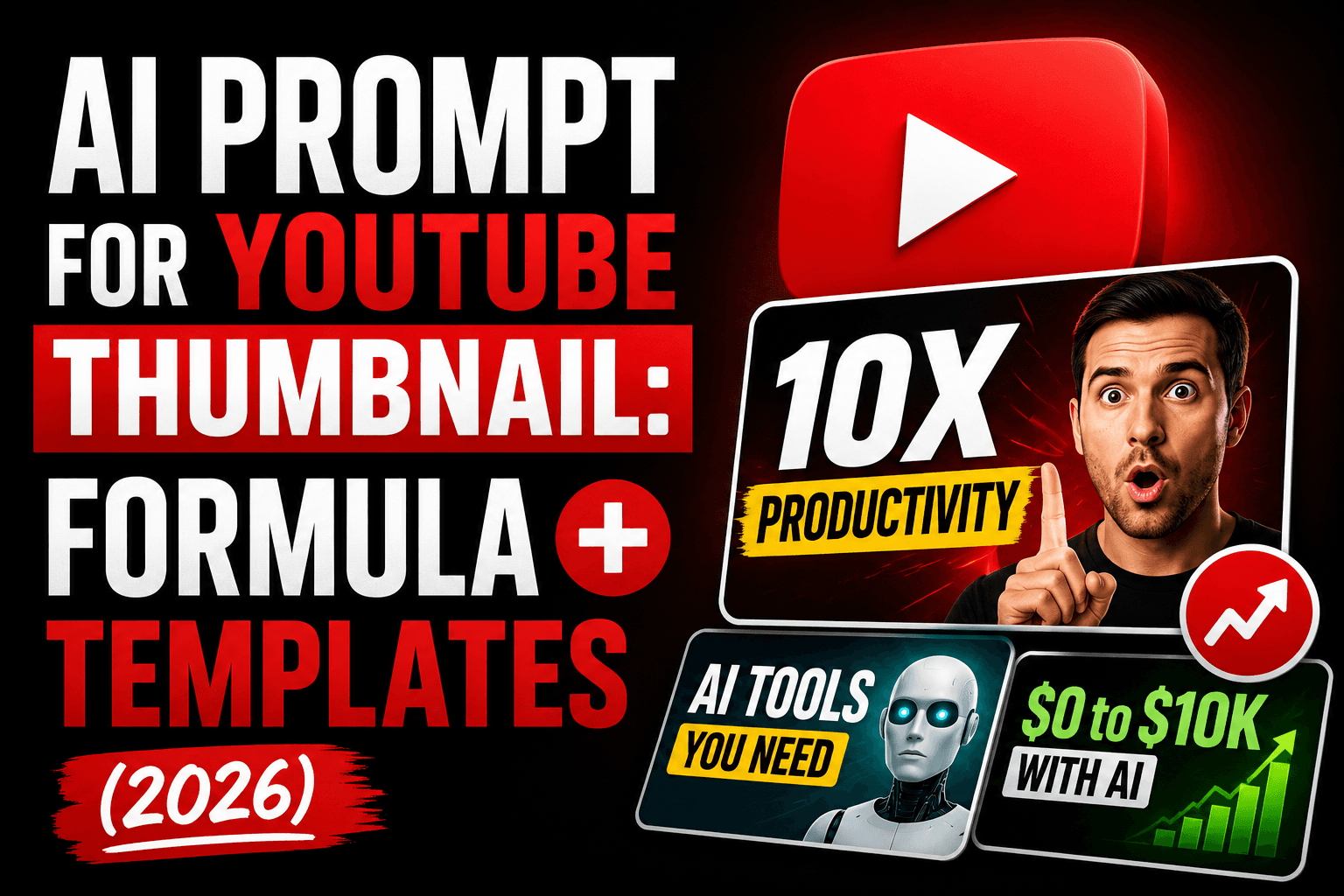
AI Prompt for YouTube Thumbnail: Formula + Templates (2026)
AI prompts for YouTube thumbnails by niche — gaming, tutorials, vlogs, and more — plus why AI struggles with thumbnail text and how to actually fix it.
AI Prompt for YouTube Thumbnail: The Formula (Plus the Text Problem Nobody Warns You About)
Quick Answer
A good AI prompt for a YouTube thumbnail needs four things: a clear subject with an exaggerated expression or focal point, bold high-contrast lighting, a simple uncluttered background, and a style keyword like "YouTube thumbnail style" or "high-energy." The one thing to know before you start: AI image generators are still unreliable at rendering clean, readable text, so the best workflow for most creators is generating the visual with AI, then adding bold text separately in a tool like Canva or YouTube's own thumbnail editor — not asking the AI to write the words for you.
What makes a thumbnail prompt different from a regular image prompt
A YouTube thumbnail isn't a photo — it's an ad for your video that has to work at a tiny size, next to a dozen competing thumbnails, in about half a second of attention. That changes what the prompt needs to prioritize compared to a standard portrait or product shot: exaggerated expression over subtlety, bold contrast over natural lighting, and a single clear focal point over a balanced composition. A prompt that would produce a beautiful, natural-looking photo often produces a forgettable thumbnail, because "natural" and "attention-grabbing at 120 pixels tall in a search results page" are frequently in tension.
The thumbnail prompt formula
Use this structure as your starting point:
- Subject and expression — who or what's in frame, and the specific emotion (shocked, excited, confused, confident)
- Composition — close-up, off-center focal point, clear negative space for text if you plan to add it
- Lighting and contrast — bold, high-contrast, saturated colors rather than soft/natural
- Background — simple and uncluttered, often a bold solid color or blurred setting that doesn't compete with the subject
- Style keyword — "YouTube thumbnail style," "high-energy," "bold and eye-catching"
Formula in one line:
[Subject], [exaggerated expression/action], [composition note], bold high-contrast lighting, [simple background], YouTube thumbnail style
Prompt templates by video type
| Video type | Sample prompt |
|---|---|
| Gaming / Let's Play | "Excited gamer with wide eyes and open mouth reacting to a screen, dramatic red and blue lighting, dark blurred background with faint game UI glow, high contrast, off-center composition, YouTube thumbnail style" |
| Reaction video | "Shocked facial expression, hand near face, bright bold orange background, exaggerated wide-eyed reaction, close-up framing, high-energy YouTube thumbnail style" |
| Tutorial / How-to | "Person confidently pointing at a highlighted object, clean bright background, warm approachable expression, clear focal point with space for text, tutorial-style composition" |
| Tech review / unboxing | "Product held up close to camera, dramatic side lighting, dark gradient background, confident direct-to-camera expression, tech review YouTube thumbnail style" |
| Vlog / day-in-the-life | "Candid outdoor lifestyle shot, warm natural sunlight, genuine smile, off-center composition, bright and inviting mood, vlog thumbnail style" |
| Before & after / transformation | "Split composition with a bold diagonal dividing line, dramatic contrast between two states, high-saturation colors, transformation-reveal style" |
| List / countdown video | "Bold colorful background, small icons or objects arranged around a large central number, energetic composition, listicle YouTube thumbnail style" |
| Finance / business | "Confident professional pointing at a rising graph, dark navy background, gold accent lighting, serious but energetic expression, finance YouTube thumbnail style" |
| Comparison ("X vs Y") | "Two contrasting subjects split by a bold central divider, high-contrast colors on each side, symmetrical composition, comparison-style YouTube thumbnail" |
For more prompt ideas and ready-made libraries beyond thumbnails specifically, our roundup of the best AI prompt websites is a good next stop — several of the image-focused libraries there index thumbnail-adjacent styles by category.
The text problem — and how to actually solve it
Here's the part most thumbnail prompt guides skip entirely: most AI image generators are still unreliable at rendering clean, readable text inside an image. Ask for "YOU WON'T BELIEVE THIS" in bold letters across the top of your thumbnail, and you'll often get garbled, misspelled, or oddly-kerned text — even from strong general-purpose models. This isn't a prompting mistake on your part; it's a genuine limitation of how most image models handle text as a visual pattern rather than actual characters.
Two workable approaches:
- Generate the visual, add text separately. This is what most professional creators actually do: use AI to generate the subject, background, and mood, then add your bold headline text afterward in Canva, Photoshop, or YouTube's built-in thumbnail editor, where the text renders perfectly every time and you have full control over font, size, and placement.
- Use a text-specialist image tool if you want AI-generated text. A small number of image generators — Ideogram most notably — are specifically built to handle in-image text more reliably than general-purpose tools. Even there, keep any AI-generated text to one to three words and expect to regenerate a few times before it's clean.
For almost everyone, the first approach is simpler and more reliable: let AI handle the visual impact, let a design tool handle the words.
Common mistakes that tank click-through rate
- Too much detail for the size it'll actually display at. Thumbnails render as small as 120 pixels tall in some feeds — a busy, detailed composition that looks great full-size often turns into visual noise at thumbnail scale. Simplify more than feels natural while prompting.
- Subtle, natural lighting instead of bold contrast. What looks tasteful in a portrait often reads as flat and low-energy in a thumbnail next to more saturated competitors.
- No clear focal point. If the prompt doesn't specify where the eye should land first, the output often ends up balanced and centered — which is exactly what makes a thumbnail forgettable.
- Asking AI to render your headline text. Covered above, but worth repeating: this is the single most common reason an otherwise good AI-generated thumbnail looks unprofessional.
- Ignoring the 16:9 aspect ratio. YouTube thumbnails are 1280×720 pixels. Specify this or a matching aspect ratio in your prompt or generation settings so you're not cropping a differently-shaped image after the fact.
Hands-on impressions
Testing the tutorial template above against a version with no expression or composition guidance made the difference in the formula concrete rather than theoretical: the generic version produced a competent but flat image — correct subject, nothing wrong with it, and nothing that would make someone stop scrolling. Adding "confidently pointing," "warm approachable expression," and "clear focal point with space for text" to the same basic idea produced something that actually looked like a thumbnail rather than a stock photo, even before any text was added.
The text limitation was just as real as expected going in — a direct request for a five-word headline came back garbled on the first two attempts, cleaner but still slightly off on the third. Dropping the in-image text request entirely and adding the headline afterward in a design tool took less total time than getting the AI-generated text to look right, which matches the advice above rather than contradicting it.
FAQ
What's the best AI prompt structure for a YouTube thumbnail? Combine subject and expression, composition, lighting/contrast, background, and a style keyword like "YouTube thumbnail style" in one prompt. Exaggerate the expression and contrast more than feels natural — thumbnails need to work at a glance, not hold up to close inspection.
Can AI generate the text for my YouTube thumbnail too? Not reliably. Most AI image generators struggle with clean, readable text. The more consistent workflow is generating the visual with AI, then adding bold headline text separately in a tool like Canva or YouTube's thumbnail editor.
What size should my AI-generated YouTube thumbnail be? YouTube thumbnails display at 1280×720 pixels (16:9 aspect ratio). Specify this ratio when generating, or plan to crop to it afterward without cutting off your main subject.
Which AI tool is best for YouTube thumbnails specifically? General-purpose tools like ChatGPT's image generator or Midjourney work well for the visual, background, and subject. If you specifically need AI to render in-image text, Ideogram is the more reliable specialist option, though results still typically need a few attempts.
How do I make my AI thumbnail stand out from competitors? Push contrast and expression further than feels natural, keep the background simple, and make sure there's one obvious focal point rather than a balanced, evenly-detailed composition — thumbnails are competing for a fraction of a second of attention, not admiration up close.
I also make video content for my channel — where can I find AI tools for that? Our best AI video generator roundup covers tools for b-roll, intros, and short-form clips if you're building out video content alongside your thumbnails.
Conclusion
A strong AI-generated YouTube thumbnail comes down to exaggeration and simplicity: push the expression, lighting, and contrast further than feels natural, keep the background out of the way, and give the eye one clear place to land. The templates above are a starting point for the visual half of the job — the other half, the bold headline text that makes a thumbnail actually pop, is still better handled in a design tool than asked for directly in the prompt. Get the image right with AI, add the words afterward, and you'll end up with a more professional result than trying to get everything from a single generation.
Related
Resources
ChatGPT Professional Photo Prompt: 15 Studio-Quality Templates (2026)
AI Halloween Photo: Prompts That Actually Look Like You (2026)
AI Christmas Photo: The Viral Prompt + How to Actually Do It (2026)
AI Prompt for Instagram Post: Formula + Templates (2026)