AI Prompt for Product Photography: Studio Templates + Label Fix (2026)
25 copy-paste AI prompts for product photography by material and category — plus the 6-part studio lighting formula, Black Friday templates, and how to keep product labels sharp.
AI Prompt for Product Photography: Studio Templates & the Label-Preservation Fix (2026)
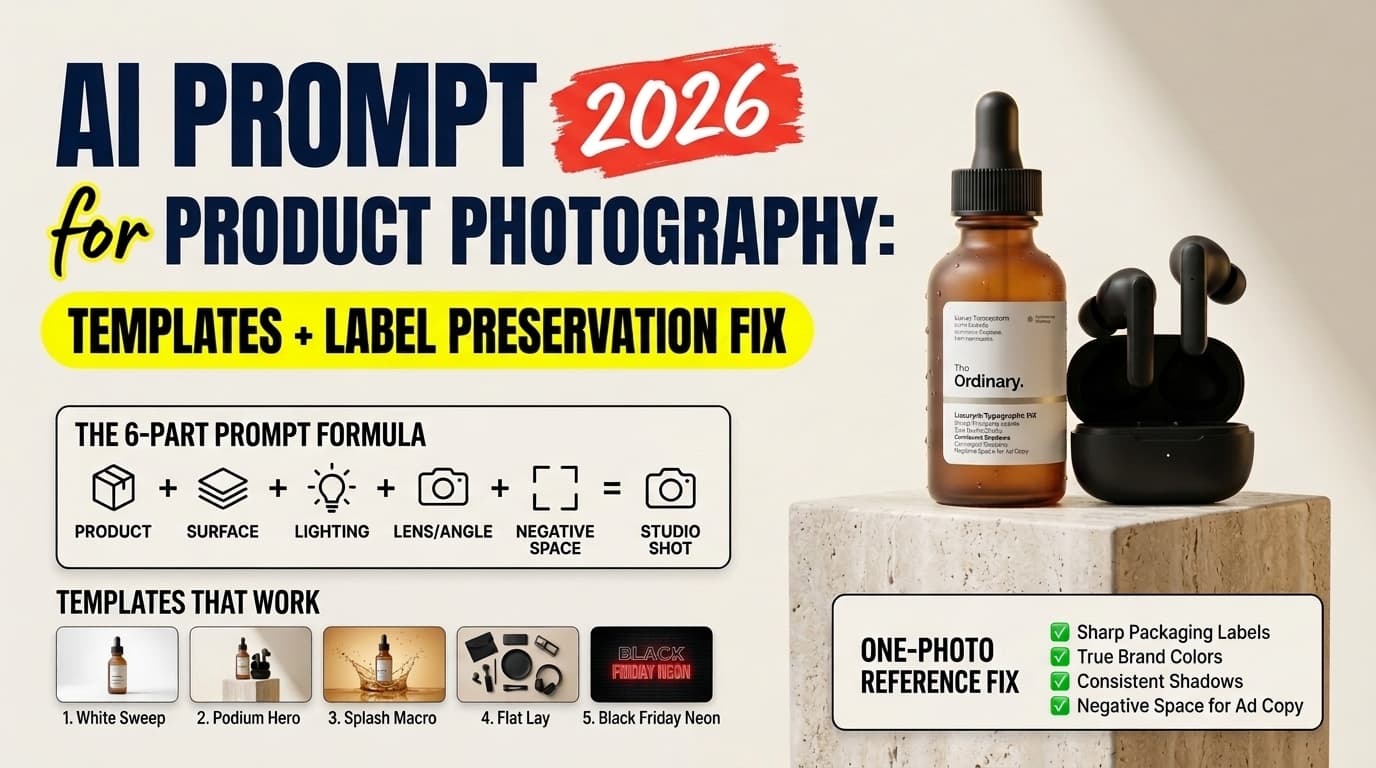
Quick Answer: A reliable ai prompt for product photography combines six specific variables: the product geometry and material finish, the placement surface, a three-point studio lighting setup, camera and macro lens optics, negative space reservation for ad copy, and an explicit reference-preservation instruction. If you sell a physical item with a printed brand label, text-only generation will warp your typography and invent a slightly different bottle or box. The production fix is a one-photo reference workflow: upload a clean smartphone shot of your real product into ChatGPT or Gemini, lock the product geometry and label in place, and use your prompt strictly to generate the studio surface, rim lighting, and environment around it.
Why Most AI Product Photos Fail E-Commerce Standards
Run a basic prompt like "product photo of a vitamin C serum bottle on a marble table" through any image generator and you will get an attractive picture of a product that does not exist.
That distinction is the central problem in commercial e-commerce imagery. A blog header or a mood board only needs to look convincing as a category concept. An e-commerce product listing, a Google Shopping card, or a paid Meta catalog ad is a contractual visual specification with a buyer. If the bottle cap threading, the embossed logo on a leather wallet, or the ingredient typography on a supplement jar shifts by even ten percent between the photo and the physical box that arrives in the mail, return rates climb and marketplace listings risk suspension.
When you write an ai prompt for product photography, you are actually choosing between two completely different technical pipelines. Confusing them is why most store owners waste hours rewriting adjectives that cannot solve a structural model limitation.
Rendering diagram...
Pipeline 1: Text-to-Image Concept Generation
You describe the item from scratch and let the diffusion or autoregressive model synthesize both the object and the environment. This works well for early packaging prototypes, generic category visuals, unbranded wholesale items, and creative direction briefs before a physical sample exists.
Pipeline 2: Reference-Locked Scene Generation ("Keep the Product, Change the Universe")
You start with an unedited, well-lit smartphone photo of your real physical product. You feed that image into a multimodal editor (ChatGPT, Google Gemini, or a dedicated e-commerce background engine with alpha-masking) and use an ai prompt for product photography to build the studio sweep, podium, shadows, and lighting around the locked subject.
Understanding which pipeline your SKU requires saves you from asking a text prompt to do the job of an image compositor. For printed apparel where a 2D graphic file needs to wrap onto fabric folds, see our breakdown of the AI prompt for clothing mockup workflow, which deals with a parallel placement constraint.
The 6-Part AI Prompt for Product Photography Formula
Photographers do not walk into a studio and ask for "luxury vibes." They pick a focal length that eliminates barrel distortion, set a key light at a 45-degree angle, place a bounce card opposite the key, and choose a surface whose reflectance contrasts with the product body.
Language models trained on photographic metadata respond to that exact same technical vocabulary. When you leave out optical and lighting constraints, the generator averages thousands of amateur stock photos and produces flat, plastic-looking specular highlights.
Every production-ready ai prompt for product photography should follow this six-part structure:
- Reference Lock & Subject Materiality: State whether the model is preserving an uploaded product photo or generating a specific material (frosted amber glass, anodized brushed aluminum, matte pebbled leather, condensation-covered aluminum can).
- Shot Type & Camera Angle: Eye-level hero shot, 45-degree tabletop angle, 90-degree overhead flat lay, or low-angle monumental podium shot.
- Surface & Set Architecture: Seamless infinity cove, honed travertine podium, dark wet slate, rippled water basin, or raw concrete block.
- Three-Point Lighting Rig: Key light modifier (large octabox, diffused window light), rim/edge light (strip softbox for silhouette separation), and fill/reflector behavior.
- Optics & Depth of Field: Macro focal length (
85mm,100mm macro,120mm medium format) and aperture (f/8tof/11for edge-to-edge catalog sharpness;f/2.8tof/4for lifestyle background bokeh). - Composition & Negative Space: Aspect ratio (
1:1,4:5,9:16) and explicit empty space reservation (e.g., "keep the upper 35% of the frame clean and unobstructed for ad headline typography").
One-Line Master Formula
[Reference Lock / Product + Material Finish], [Shot Angle] resting on [Surface + Props], lit by [Key Light + Rim Light + Shadow Behavior], shot on [Focal Length + Aperture], [Background + Negative Space Rule], commercial studio product photography
Weak Prompt vs. Studio-Engineered Prompt
Compare what happens when you replace vague marketing adjectives with physical studio parameters in an ai prompt for product photography:
✕ Weak prompt:
"A luxury perfume bottle on a nice stone background, dramatic lighting, high quality product photography, 4k, realistic."

✓ Studio-engineered prompt:
"Use the uploaded perfume bottle photo and keep the glass shape, gold atomizer, and front label typography 100% unchanged. Place the bottle at an eye-level hero angle on a honed beige travertine stone podium. Lighting: diffused softbox key light from the front-left at 45 degrees, crisp warm rim light from the back-right defining the glass edges, and a soft contact shadow directly beneath the base. Shot on a 100mm macro lens at f/8 for tack-sharp product edges with a softly graduated warm sand studio backdrop. Leave the top third of the 4:5 vertical frame completely empty for promotional copy."
Why does the second version work consistently?
100mm macro lens at f/8prevents wide-angle perspective distortion (which makes rectangular boxes and cylindrical bottles look bulged at the center) while keeping both the front label and the rear shoulder of the bottle in focus.soft contact shadow directly beneath the basefixes the "floating sticker" syndrome where AI-composited products look pasted onto a background without gravity.crisp warm rim light from the back-rightseparates translucent or dark packaging from the backdrop so the silhouette reads cleanly on a mobile screen.
If you also shoot portraits or lifestyle campaigns alongside your catalog, compare this macro f/8 setup with the wider-aperture 85mm f/1.8 structure in our ChatGPT professional photo prompt guide.
Why Material Physics Make or Break Product Realism
A single ai prompt for product photography cannot use the same lighting clause for a matte cardboard box and a polished chrome espresso machine. Different surfaces reflect photons differently. If you prompt "bright studio lighting" on a mirror-finish stainless steel watch, the model renders blown-out white blobs across the dial.
Use the table below to match your product's physical material to the exact lighting and texture vocabulary that prevents the "AI plastic sheen":
| Product Material | What Goes Wrong in Default AI Generations | Exact Lighting & Surface Clause to Add to Your Prompt |
|---|---|---|
| Clear or Frosted Glass (serums, beverages, fragrance) | Glass looks opaque, milky, or solid like painted ceramic; liquid inside disappears. | "backlit translucent glass with subtle internal light refraction through the liquid, crisp dark-field edge lighting along the bottle silhouette, controlled vertical highlight strip on the left curve" |
| Matte Paperboard & Kraft Packaging (coffee bags, supplement pouches, boxes) | Surface looks waxy or overly glossy like laminated plastic. | "uncoated matte paperboard texture with visible micro-fiber grain, soft diffused overhead scrim lighting, zero harsh specular glare, natural soft shadow falloff" |
| Polished Metal & Chrome (watches, jewelry, hardware, cookware) | Chaotic room reflections or blown-out white hotspots obscure the form. | "tent-diffused studio reflection control, smooth gradient metallic reflections with clean dark negative-fill lines defining the beveled edges, no direct point-source glare" |
| Matte Black & Dark Anodized Tech (headphones, cameras, gaming mice) | Product merges into dark backgrounds; surface details turn into muddy grey noise. | "dual cool-white strip rim lights carving out the outer chamfered edges, subtle gradient reflection across the matte anodized shell, deep charcoal background with separation glow" |
| Full-Grain Leather & Textiles (handbags, boots, wallets) | Texture looks stamped or rubbery; stitching blurs together. | "raking directional side light at a 30-degree angle to reveal natural pebble grain and raised saddle-stitching relief, warm neutral color rendition, f/9 depth of field" |
| Glossy Glazed Ceramics (mugs, skincare jars, tableware) | Harsh circular bulb reflections that look like a cheap ring light. | "large overhead silk diffuser creating a single soft wrap-around highlight, grounded contact shadow on raw linen surface, subtle glaze micro-texture" |
25 Copy-Paste AI Prompts for Product Photography by Category
Every template below is written for 2026 multimodal generators (ChatGPT, Gemini, Flux Pro, and Midjourney v7). If you are uploading your own product image, keep the opening Reference Lock sentence. If you are generating a concept from scratch, replace the opening sentence with your product description.
1. Marketplace White-Sweep Catalog Shots (Amazon, Shopify, Google Shopping)
Major marketplaces enforce strict primary-image rules. Amazon's Product Image Requirements mandate a pure white background (RGB 255, 255, 255), the product filling at least 85% of the frame, and zero props or promotional text. Shopify's product photography guidelines similarly emphasize consistent aspect ratios and uniform horizon lines across collection grids.
When using a studio prompt for primary catalog listings, strip out all props and atmospheric effects:
-
Standard Pure-White E-Commerce Hero (Any Packaged SKU)
"Use the uploaded product photo and keep the packaging shape, colors, and label text 100% intact. Place the product dead-center at a clean eye-level front angle on a pure seamless white studio sweep (RGB 255, 255, 255). Lighting: even wrap-around dual softbox studio lighting with a subtle, natural grounded contact shadow directly beneath the base and faint floor reflection. Shot on a 100mm macro lens at f/11 for edge-to-edge sharpness, product occupying 85% of the 1:1 square frame, zero props, commercial catalog photography."
-
45-Degree Box & Bottle Combo Shot
"Preserve the uploaded product bottle and outer retail box exactly as shown. Arrange the bottle slightly in front of the box at a 15-degree angled three-quarter view on a pure white infinity background. Even commercial studio lighting, clean separation between the box and bottle, soft realistic ground shadow, shot on a 90mm tilt-shift lens at f/11 so both items remain tack-sharp from front to back."
-
Ghost / Floating Technical Angle (Footwear & Hardware)
"Keep the uploaded sneaker's exact colorway, sole geometry, and logo details unchanged. Position the shoe floating at a dynamic 30-degree profile angle against a pure white studio background, with a soft elliptical drop shadow 3 centimeters below the outsole to indicate height. Bright, color-accurate commercial studio lighting, raking side light highlighting the mesh and leather texture, 85mm lens at f/10."
2. Skincare, Cosmetics & Fragrance
Beauty brands rely heavily on tactile cues — water droplets, botanical ingredients, mineral stone podiums, and caustic light reflections through glass.
-
Amber Dropper Bottle on Travertine Stone
"Use the uploaded serum dropper bottle and preserve the label typography and glass tint exactly. Place the bottle standing on a raw, porous beige travertine stone block in shallow rippling water. Warm late-afternoon sunlight streaming from the left creates golden caustic light patterns through the amber glass onto the stone surface. Shot on a 100mm macro lens at f/5.6, shallow depth of field, spa editorial product photography."
-
Minimalist Cream Jar with Texture Swatch
"Keep the uploaded cosmetic jar and lid unchanged. Shoot from a 90-degree overhead flat lay on a cool brushed concrete surface. Next to the jar, add a single smooth, glossy whip of white moisturizing cream smeared cleanly with a spatula to show product texture. Soft overhead diffused daylight, crisp contact shadows, minimalist clinical skincare aesthetic, 4:5 aspect ratio."
-
Luxury Perfume Bottle in Moody Dark-Field Lighting
"Preserve the uploaded glass perfume bottle and metallic nameplate exactly. Place the bottle on a slab of wet black volcanic basalt stone. Dramatic low-key studio lighting: two narrow warm-gold strip rim lights outlining the glass shoulders and a focused backlight making the amber liquid glow from within. Wisps of subtle atmospheric mist low to the stone surface, shot on a 120mm macro lens at f/8."
-
Botanical Clinical Sunscreen Tube (Summer Sunlight)
"Keep the uploaded sunscreen tube and all printed text intact. Lay the tube at a 45-degree angle on fine warm white sand beside a single monstera leaf casting sharp, high-noon tropical dappled shadows across the background. Bright natural sunlight with a clean white bounce fill so the front label remains bright and fully legible, crisp water droplets on the tube body, 85mm f/8."
3. Beverages, Coffee, Supplements & Packaged Food
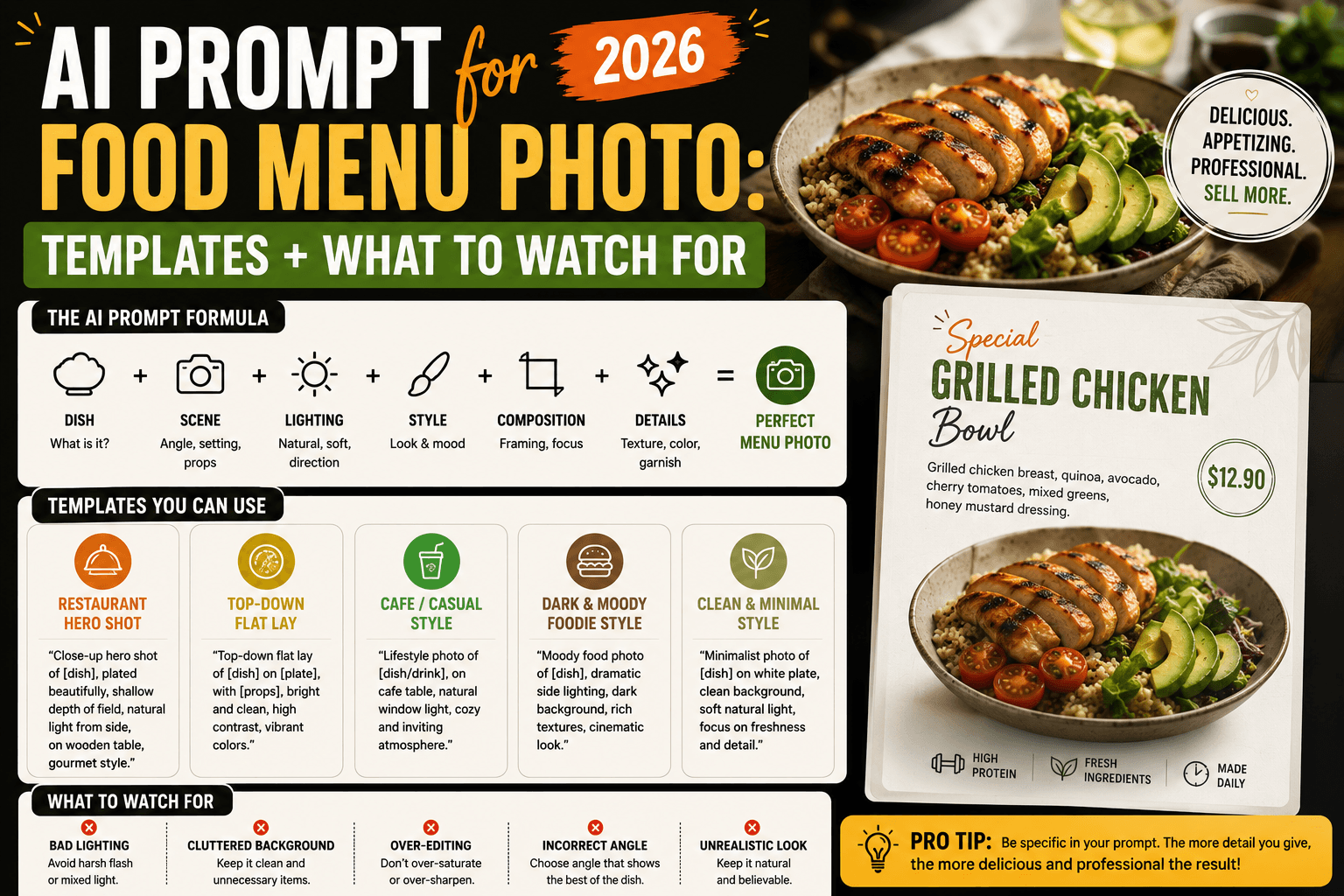
For restaurant plates and freshly cooked meals, read our dedicated AI prompt for food menu photo guide. Packaged consumables — cans, coffee bags, protein tubs, and olive oil bottles — follow commercial studio rules instead:
-
Craft Soda / Energy Can with High-Speed Ice Splash
"Use the uploaded aluminum beverage can and keep the graphic wrap and brand logo 100% accurate. Stand the can upright on a glossy dark acrylic surface, covered in realistic cold condensation droplets. Capture a high-speed freeze-frame splash of crystal-clear water and cracked ice cubes erupting behind the can. Backlit by a high-speed studio strobe for sparkling water droplets and a clean front softbox keeping the can label evenly lit, 100mm macro at f/8."
-
Specialty Coffee Bag on Espresso Bar Counter
"Preserve the uploaded matte kraft coffee bag and front label exactly as shown. Stand the bag upright on a dark walnut wood countertop with a few roasted whole coffee beans scattered naturally near the base. Warm morning window light from the side, softly blurred stainless steel espresso machine in the background bokeh, shot on an 85mm lens at f/4, cozy artisanal roastery mood."
-
Sports Supplement Tub in High-Contrast Gym Studio
"Keep the uploaded supplement container and nutrition label unchanged. Place the tub on a dark textured rubber gym floor surface at a slightly low heroic angle. Hard directional rim lighting in electric cyan from the left and clean white key lighting from the front-right, subtle chalk dust particles suspended in the background air, shot on a 70mm lens at f/5.6, high-energy athletic campaign style."
-
Artisanal Olive Oil / Hot Sauce Bottle on Mediterranean Tile
"Use the uploaded glass bottle and preserve its label and cap intact. Place the bottle on a sun-drenched terracotta surface beside a rough linen napkin and a small ceramic dish. Warm Mediterranean golden-hour side light casting long soft shadows, natural glass refraction, shot on an 85mm lens at f/5.6, editorial pantry style."
4. Consumer Electronics, Audio & Hardware
Tech products demand geometric precision, clean chamfer highlights, and controlled reflections.
-
Matte Black Wireless Headphones on Anodized Podium
"Keep the uploaded headphones' exact earcup geometry, metallic hinges, and brand mark unchanged. Rest the headphones on a dark brushed-aluminum cylinder podium against a deep graphite studio backdrop. Lighting: precision overhead strip softbox creating a smooth gradient highlight along the headband arc, plus subtle cool-blue edge lighting separating the earcups from the dark background. Shot on a 100mm lens at f/8."
-
Mechanical Keyboard / Desk Setup Flat Lay
"Preserve the uploaded mechanical keyboard and keycap legends 100% intact. Shoot a 90-degree overhead flat lay on a dark charcoal wool desk mat, accompanied only by a coiled braided USB-C cable and a minimalist anodized aluminum pen. Soft directional window light from the top-left, natural keycap shadow depth, clean architectural desk aesthetic, 50mm lens at f/8."
-
Smartwatch / Wearable Macro Floating Shot
"Use the uploaded smartwatch and keep the watch case, crown, and screen UI completely unchanged. Float the watch at a three-quarter isometric angle over a dark matte slate surface. Tent-diffused studio lighting to create smooth, unbroken silver reflections along the titanium bezel without harsh glare hotspots, 100mm macro lens at f/11."
5. Jewelry, Watches & Fine Accessories
Jewelry is the hardest category for any commercial product prompt because small scale magnifies focus errors and facet reflections.
-
Gold Ring on Raw Silk with Macro Focus Stacking
"Preserve the uploaded gold ring and gemstone setting exactly. Rest the ring upright in a gentle fold of champagne-colored raw dupioni silk. Lighting: diffused jewelers' cone lighting from above paired with a tiny pinpoint specular kicker light to ignite natural fire inside the gemstone facets. Shot on a 100mm macro lens with focus-stacked f/14 depth of field so both the front prong and rear band are tack-sharp."
-
Luxury Chronograph Watch on Dark Emperador Marble
"Keep the uploaded wristwatch dial, hands, and bracelet links 100% accurate. Lay the watch at a 30-degree angle across a slab of dark brown Emperador marble. Moody editorial lighting with a soft rectangular reflection swept cleanly across half the sapphire crystal, warm tungsten accents on the brushed steel lugs, shot on a 120mm macro lens at f/11."
-
Leather Handbag on Architectural Concrete Plinth
"Use the uploaded leather handbag and preserve its exact stitching, hardware clasps, and leather grain. Place the bag upright on a stepped brutalist raw concrete plinth inside a sunlit minimalist gallery. Raking side light at 35 degrees to emphasize the three-dimensional pebble texture of the leather and warm gold reflection on the clasp, shot on an 85mm lens at f/6.3."
6. Home Goods, Candles & Ceramics
-
Scented Candle Jar in Cozy Evening Interior
"Keep the uploaded glass candle jar and front label completely intact. Place the candle on a travertine coffee table with a warm, realistic flame glowing inside the vessel. Background: softly blurred linen sofa and warm tungsten floor lamp bokeh at dusk. Balanced studio fill light from the front so the printed label stays crisp and readable despite the warm ambient candle glow, 85mm lens at f/2.8."
-
Ceramic Pour-Over Mug on Linen Tablecloth
"Preserve the uploaded handmade ceramic mug's exact glaze pattern and handle shape. Place the mug on a rumpled oatmeal-colored Belgian linen tablecloth beside an open hardcover book. Soft overcast morning window light from the right, gentle steam rising from dark coffee inside the mug, shot on a 50mm lens at f/4."
-
Essential Oil Diffuser on Minimalist Oak Shelf
"Use the uploaded stone essential oil diffuser and keep its exact silhouette and wood base intact. Place it on a pale white-oak floating shelf against a warm limewash plaster wall, with a delicate plume of cool ultrasonic mist rising from the top vent. Soft morning directional sunlight casting diagonal window-blind shadows across the wall, shot on an 85mm lens at f/4."
-
Cast-Iron Dutch Oven on Marble Kitchen Island
"Keep the uploaded enameled cast-iron pot, lid knob, and exact enamel color unchanged. Position the pot at a 30-degree angle on a honed Carrara marble kitchen island beside a wooden cooking spoon and a sprig of fresh rosemary. Large overhead diffused softbox lighting to create a soft, wide highlight along the glossy enamel curve without harsh bulb reflections, shot on a 90mm lens at f/8."
7. Eyewear, Footwear & Everyday Carry (EDC)
-
Acetate Sunglasses with Polarized Lens Reflection
"Preserve the uploaded tortoiseshell acetate sunglasses, hinge hardware, and temple logo 100% intact. Place the frames unfolded at a three-quarter front angle on a warm terracotta block. Studio tent lighting with a controlled linear gradient reflection across the dark polarized lenses so the lenses look optically solid rather than hollow, sharp grounded contact shadow, shot on a 100mm macro lens at f/11."
-
Running Sneaker on Wet Asphalt Track (Action Still)
"Use the uploaded running shoe and keep the knit upper pattern, midsole foam geometry, and brand swoosh unchanged. Set the shoe at a dynamic low 15-degree angle on dark wet asphalt after rain, with subtle puddle reflections beneath the outsole. Cool twilight ambient background paired with a crisp warm strobe key light from the front-left and a sharp rim light defining the heel counter, 85mm lens at f/5.6."
-
Minimalist Titanium Pocket Knife / Multi-Tool Macro
"Keep the uploaded titanium multi-tool, Torx screw heads, and laser-etched blade markings 100% accurate. Lay the tool partially open on a slab of dark grey ballistic nylon fabric. Raking directional side light at 25 degrees to accentuate the bead-blasted titanium microstructure and machined bevels, shot on a 100mm macro lens at f/11."
-
Subscription Unboxing Flat Lay (Mailer Box + Inner Products)
"Preserve the uploaded open corrugated mailer box and the three product bottles arranged inside it exactly as shown. Shoot from a 90-degree overhead flat lay on a clean pastel sage studio backdrop, with neat crinkle-cut kraft paper filler cradling the items. Even, shadowless overhead butterfly studio lighting, crisp typography across every inner bottle label, 50mm lens at f/11, 1:1 square format."
Seasonal Campaign Templates: Black Friday, Cyber Monday & Holiday 2026
During November and December, e-commerce teams face a specific production bottleneck: taking evergreen white-background SKUs and reskinning them for Black Friday, Cyber Monday (BFCM), and holiday gift guides without booking a new studio shoot.
The most effective late-2026 seasonal workflow uses an ai prompt for product photography that pairs high-contrast dark or festive environments with strict negative space rules so performance marketers can overlay discount badges and countdown timers in Figma or Canva afterward.
| Campaign Theme | Color Palette & Lighting Mood | Copy-Paste Seasonal Prompt Template |
|---|---|---|
| Black Friday Matte-Black & Neon Edge | Deep matte obsidian (#0D0D0D), cyber-magenta or electric-blue rim light, zero clutter | "Keep the uploaded product and its label 100% unchanged. Place the product on a matte black obsidian podium against a dark charcoal background. Lighting: clean neutral-white front key light so the product's true colors and text remain accurate, paired with a sharp magenta and electric-blue neon rim light cutting across the rear edges and floor reflection. Leave the left 40% of the 16:9 frame completely empty matte black for Black Friday sale typography. Shot on 100mm macro at f/8." |
| Black Friday Luxury Gold & Charcoal | Brushed dark slate, warm 2700K gold rim light, subtle metallic confetti bokeh | "Preserve the uploaded product exactly. Set it on a dark honed slate pedestal. Dramatic low-key studio lighting with a warm golden rim light and out-of-focus gold bokeh light orbs in the distant dark background, while a diffused front softbox keeps the product label crisp and true to color. Leave the top third of the 4:5 vertical frame unobstructed for ad headline copy." |
| Cyber Monday Architectural Grid | Gunmetal grey, cool 5600K studio light, subtle illuminated geometric floor lines | "Use the uploaded tech product and keep all buttons, ports, and logos intact. Place it on a dark gunmetal architectural surface with a single thin, softly glowing cyan light line recessed into the floor behind the product. Crisp commercial studio lighting, tack-sharp f/11 macro focus, upper 30% of the frame left clean for Cyber Monday banner text." |
| Post-Thanksgiving Cozy Analog Winter | Warm walnut wood, copper accents, blue-hour snowy window light, 35mm film grain | "Keep the uploaded product and packaging text unchanged. Place the product on a rustic dark walnut table near a frosted window during blue hour, with warm indoor tungsten light mixing with cool twilight snow outside. Subtle 35mm analog film grain, shallow depth of field (85mm f/3.2), grounded cozy winter gift aesthetic." |
| Holiday Gift Guide Pine & Warm Bokeh | Deep forest green, natural noble fir branch, warm fairy-light bokeh, red silk ribbon | "Preserve the uploaded product exactly as shown. Place it on a warm cream limestone surface with a single sprig of fresh noble fir pine needles in the foreground corner and soft warm golden string-light bokeh in the distant background. Clean studio key light on the front label, festive luxury gift guide photography, 4:5 aspect ratio with clean space at the top." |
| New Year Minimalist Champagne & Glass | Warm alabaster, fluted glass shadows, bright celebratory morning light | "Keep the uploaded product unchanged. Stand it on a warm alabaster podium with crisp diagonal light rays cast through a sheet of fluted architectural glass. Bright, airy celebratory lighting, clean sharp shadows, 100mm macro lens at f/8." |
If you are building paid social creatives across Meta, TikTok, and LinkedIn from these renders, pair these product scenes with the platform-specific aspect ratio rules in our AI prompt for social media ad guide and the carousel cohesion techniques in our AI prompt for Instagram post walkthrough.
The Label-Preservation Problem — And the 3 Workflows That Actually Solve It
Here is the technical truth every e-commerce operator eventually hits: even when you upload a photo of your real product into a general multimodal chat model and tell it "do not change the label," the model often re-renders the image from latent tokens.
When a model decodes a new image from its latent space rather than compositing your original pixel layer, three things happen to your product:
- Micro-typography degrades: 6-point ingredient lists, "100 ml / 3.4 fl oz" markings, and registered trademark symbols (
®) melt into unreadable strokes. - Colorimetrics drift: Your trademarked Pantone brand blue shifts warmer or cooler because the AI tints the entire scene with the ambient lighting color.
- Geometry subtly mutates: A bottle neck becomes five millimeters taller, or a knurled metal cap loses its exact ridge count.
Rendering diagram...
Depending on how complex your packaging is, use one of these three concrete workflows to prevent label corruption:
Workflow 1: Conversational Reference Editing (ChatGPT / Gemini) — Best for Simple Logos or Unbranded Items
If your product has minimal text, an embossed icon, or a bold 2-word brand name, uploading your photo into ChatGPT or Gemini with a strict reference-lock clause works roughly 70–80% of the time.
To maximize accuracy in this workflow:
- Shoot your source photo straight-on in bright, shadow-free overcast light (never use direct flash on the reference photo, or the AI will bake that flash hotspot into the new scene).
- Put the preservation instruction in the very first sentence of your ai prompt for product photography:
"Strictly preserve the exact pixels, silhouette, color, and printed typography of the uploaded product; only replace the background and surface beneath it." - Explicitly add:
"Keep neutral 5500K white key lighting on the front face of the product so the original label colors do not shift."
Workflow 2: Dedicated Mask-Locked Product AI (Photoroom, Flair.ai, Claid.ai, Google Product Studio) — Best for Text-Heavy Labels
When your SKU has fine-print regulatory text, nutrition facts, or complex metallic foil stamps, do not let a general image generator re-synthesize the product pixels at all.
Dedicated e-commerce AI tools (such as Google Merchant Center's built-in Product Studio, Photoroom, Claid.ai, or Flair.ai) use a two-stage architecture:
- They cut out your product using a high-precision alpha mask, freezing the original RGB pixels of your product at 100% fidelity.
- They run the text-to-image diffusion model only on the background mask, then apply a light-wrap and shadow pass along the boundary edge so the real product looks naturally seated in the generated environment.
Even inside these specialized tools, the quality of the scene still depends entirely on your scene description — paste the Surface, Lighting, and Optics clauses from our 6-part ai prompt for product photography formula directly into their custom background prompt box.
Workflow 3: The Hybrid "AI Set + Photoshop/Canva Composite" — Best for High-Resolution Hero Banners
Professional creative directors running high-budget BFCM campaigns often invert the process:
- Use an ai prompt for product photography in Midjourney v7 or Flux Pro to generate an empty studio stage — the honed travertine podium, the dramatic rim light, the water ripples, and the background bokeh — with no product on the pedestal (
"empty travertine stone podium in shallow water, studio rim lighting, waiting for a product placement, 100mm f/8"). - Place your real, high-resolution transparent PNG product cutout onto the empty podium in Photoshop, Affinity Photo, or Canva.
- Paint a two-layer shadow beneath the base: a tight, dark contact shadow (
2–4pxblur,80%opacity) where the product touches the stone, and a softer cast shadow (25–40pxblur,35%opacity) angled away from the AI scene's key light source.
This hybrid method gives you 100% pixel-perfect packaging typography, zero AI distortion, and full commercial studio aesthetics.
Aspect Ratios, Resolution & Post-Processing for Store Speed
Generating the image is only half the production pipeline. Raw images exported from AI tools are typically heavy unoptimized PNGs (2.5 MB to 6 MB per file) in a default 1:1 square aspect ratio. Uploading five 4 MB PNGs to a Shopify product page will tank your Largest Contentful Paint (LCP) Core Web Vitals score and hurt mobile conversion rates.
Matching Aspect Ratio to Channel Before You Generate
Always specify the target aspect ratio inside your ai prompt for product photography before generating, rather than cropping a square image afterward (which cuts off your negative space and ruins composition balance):
| E-Commerce Channel | Recommended Aspect Ratio | Where to Place the Product in the Frame |
|---|---|---|
| Amazon / Google Shopping / Shopify Grid | 1:1 (Square) | Dead center, filling 80–85% of the canvas height. |
| Meta / Instagram Feed & Pinterest Catalog | 4:5 (Vertical) | Lower-center third, leaving the top 30% open for headline hook or price badge. |
| TikTok Shop / Instagram Stories / Reels Ads | 9:16 (Full Vertical) | Center-middle zone (keep critical product details out of the top 15% and bottom 25% UI safe zones). |
| Desktop Collection Hero Banner / Email Header | 16:9 or 21:9 (Wide) | Positioned on the right third (rule of thirds), leaving the left two-thirds clean for H1 hero copy and CTA button. |
Compressing AI Product Photos Without Losing Label Sharpness
Once your product shots are finalized, convert them from heavy PNGs to WebP or AVIF at 80–85% quality before uploading to your storefront. You can drop your generated product photos directly into our browser-based Image Optimizer tool to batch-convert PNG renders into lightweight WebP files locally on your machine without uploading proprietary SKU imagery to a third-party server.
Hands-On Testing: What Actually Happened Across 4 Product Categories
To stress-test the 6-part ai prompt for product photography formula against real e-commerce edge cases, we ran four distinct physical objects through both text-only generation and upload-and-edit workflows in ChatGPT and Gemini:
- A frosted glass vitamin C dropper bottle with 8-point serif label text.
- A matte black wireless charging puck with a debossed center icon.
- A kraft paper specialty coffee pouch with a metallic foil stamp.
- A polished stainless steel French press.
1. The "Floating Product" Shadow Fix
In our first batch of prompts where we only specified "on a marble table, studio lighting", three out of four outputs looked visibly fake at the base. The product appeared to hover a millimeter above the stone because the AI generated diffused ambient light from all directions. Adding the exact phrase "tight dark contact shadow directly beneath the base where the product meets the stone, plus a soft directional cast shadow to the right" immediately grounded every single object.
2. The Label Readability Threshold
On the frosted dropper bottle, uploading a smartphone photo into ChatGPT and prompting "change the background to a sunlit bathroom counter, keep the bottle the same" preserved the large brand name ("LUMEN") accurately, but scrambled the smaller sub-line ("20% L-Ascorbic Acid + Ferulic") into unreadable pseudo-Latin characters on two out of three runs.
When we switched to Workflow 3 — generating the empty sunlit travertine counter via our studio prompt formula and compositing the masked smartphone PNG on top — the entire process took under four minutes and preserved every single letter of the 8-point ingredient list at full retina sharpness.
3. Controlling Reflections on Polished Steel
The stainless steel French press was the clearest demonstration of why material-specific lighting vocabulary matters. Prompting "bright studio lighting" produced harsh white vertical bars across the cylinder that looked like fluorescent office tubes. Changing only the lighting clause to "tent-diffused studio reflection control with smooth silver gradient transitions and dark negative-fill edges" transformed the metal into a catalog-grade brushed steel finish on the very next generation.
Common Mistakes That Ruin AI Product Photography
- Using wide-angle focal lengths (
24mmor35mm) in your prompt. Wide lenses introduce perspective distortion that makes cylindrical bottles look bowed and rectangular boxes look trapezoidal. Always specify85mm,100mm macro, or120mmin an ai prompt for product photography. - Requesting ultra-shallow depth of field (
f/1.4orf/1.8) for catalog shots. Whilef/1.8is great for portraits, on a close-up product shot it blurs the back edges of the packaging and can make parts of a curved label unreadable. Stick tof/8–f/11for catalog shots andf/4–f/5.6for lifestyle scenes. - Letting AI generate text overlays or discount badges inside the image. Even in 2026, baking "50% OFF BLACK FRIDAY" directly into the generated pixels makes localization, A/B testing, and font consistency impossible. Prompt for clean negative space instead and add typography in your design tool.
- Overcrowding the surface with props. A prompt asking for "a skincare bottle surrounded by oranges, cinnamon sticks, towels, candles, and flowers" dilutes visual hierarchy so the shopper cannot tell which item is actually for sale. Limit props to one or two raw ingredient cues placed slightly out of focus behind or beside the main SKU.
- Changing the lighting color temperature across a product collection. If your store sells six flavors of protein powder and you prompt each one with a different mood (warm sunset, cool gym neon, bright kitchen), your collection grid will look chaotic and untrustworthy. Lock a single Lighting and Optics clause across your entire catalog and only swap the accent prop color.
For broader prompt-writing fundamentals and curated template repositories, explore our roundup of the best AI prompt websites and our technical guide on training AI models with prompts.
Frequently Asked Questions (FAQ)
What is the best AI prompt for product photography?
The most reliable ai prompt for product photography follows a 6-part structure: [Reference Lock / Product Material] + [Shot Angle] + [Surface & Props] + [3-Point Studio Lighting + Contact Shadow] + [100mm Macro Lens at f/8] + [Background & Negative Space Rule]. Specifying a 100mm macro lens at f/8 and a grounded contact shadow eliminates perspective distortion and the floating-object effect.
How do I keep my product label and text sharp in AI product photos?
Do not rely on text-to-image generation alone if your product has a printed label. Instead, upload a clear smartphone photo of your product and instruct the AI to preserve the exact product pixels, or use a mask-locked product background tool (like Photoroom, Claid.ai, or Google Product Studio) that freezes your original product image and only generates the surrounding studio scene.
Can I use AI-generated product photos on Amazon and Shopify?
Yes, with one important condition: the image must accurately represent the physical product the customer will receive. Using an ai prompt for product photography to generate a clean studio background or lifestyle setting around your real, uploaded product is standard practice across Shopify and Google Merchant Center. However, generating a fictional product from text alone that differs from your physical inventory violates marketplace misrepresentation policies.
Why do my AI product photos look like they are floating?
AI models often default to omnidirectional ambient lighting, which erases the dark shadow crease where an object touches a table. Fix this by adding "a tight, dark grounded contact shadow directly beneath the product base and a soft directional cast shadow angled away from the key light" to your prompt.
What lens and aperture should I put in an AI prompt for product photography?
Use 100mm macro lens at f/8 or f/11 for clean catalog and e-commerce shots where the entire product and label must be tack-sharp from front to back. Use 85mm lens at f/4 or f/5.6 for editorial lifestyle product shots where you want the background environment softly blurred while the product remains sharp.
How do I write a Black Friday AI prompt for product photography?
Pair a dark, high-contrast studio surface (matte obsidian or dark slate) with colored rim lighting (neon magenta, cyber blue, or warm gold) while keeping a neutral-white 5500K front key light on the product face so your packaging colors stay accurate. Always instruct the prompt to leave 30–40% of the frame empty for your sale typography.
Where Commercial Product Prompting Goes Next
The core insight behind every effective ai prompt for product photography is separating object fidelity from scene synthesis. General-purpose diffusion models excel at rendering travertine stone, water splashes, and three-point rim lighting, but they are probabilistic engines that should never be trusted to re-invent your registered logo or 8-point ingredient typography from scratch. Once you lock your real product pixels via a reference upload or alpha mask and use structured photographic vocabulary to build the studio around it, you get the speed of generative AI without sacrificing commercial catalog accuracy.
Over the next twelve months, e-commerce visual workflows are moving rapidly from single static renders toward multi-angle 3D Gaussian splatting and image-to-video product loops — where a single studio product frame is animated into a 5-second slow camera orbit or liquid-splash loop for TikTok Shop and Instagram Reels. To take your static product renders into motion without a video crew, read our comparison of the best AI video generators and our guide to Sora alternatives for commercial product clips.
Related
Resources
ChatGPT Professional Photo Prompt: 15 Studio-Quality Templates (2026)
AI Halloween Photo: Prompts That Actually Look Like You (2026)

AI Christmas Photo: The Viral Prompt + How to Actually Do It (2026)
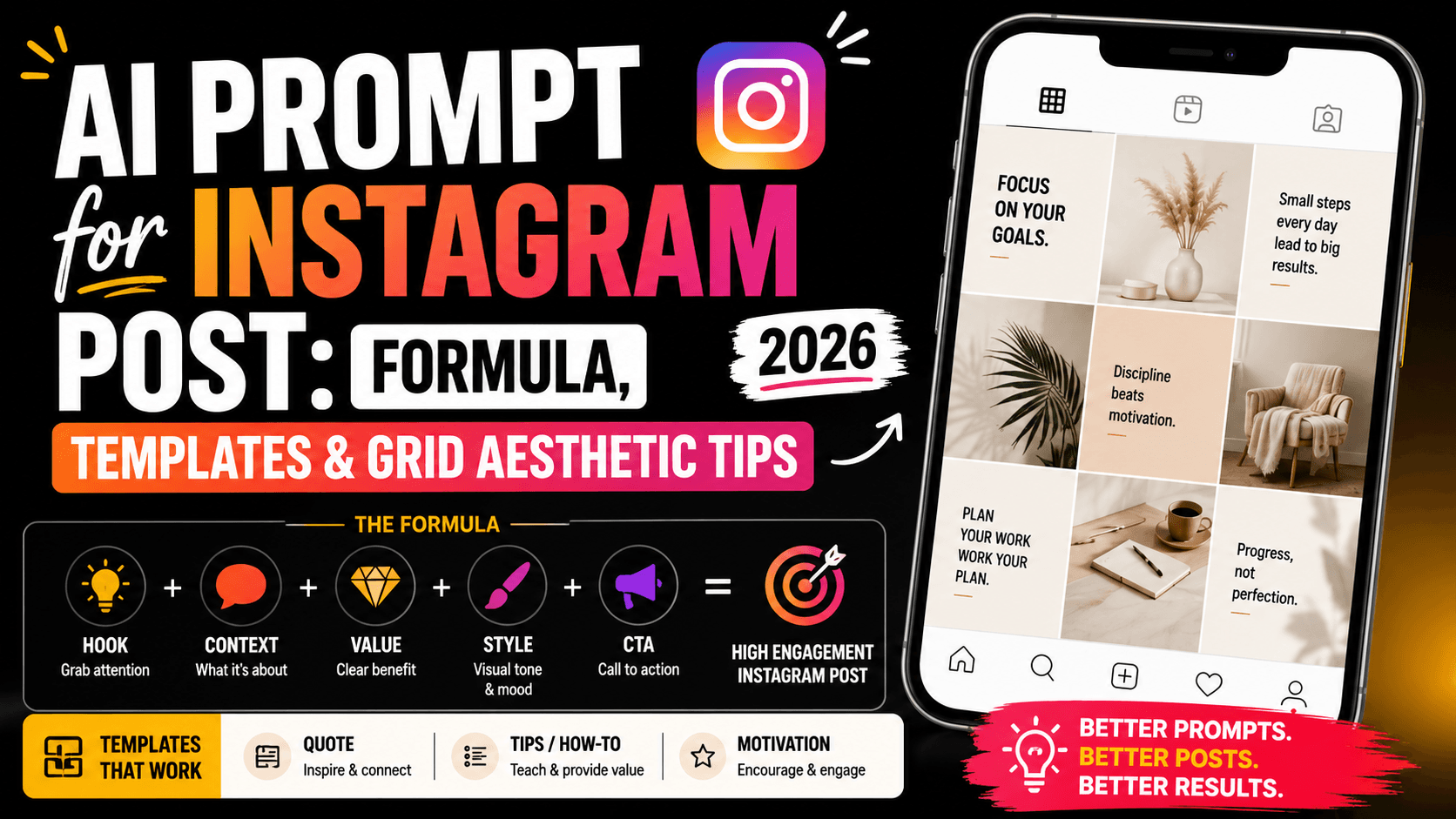
AI Prompt for Instagram Post: Formula + Templates (2026)